Butcher Bay Mac Port Gets Debug Tools as M5 Boxes Near
Sunday I gave my Mac port of Escape from Butcher Bay better ways to chase its dark characters, tested a careful Dante build and wrote an M5 runbook.
On Sunday I spent most of my time on the Mac port of Escape from Butcher Bay, which now has Apple's performance overlay and an honest frame-rate readout. The dark-character bug is still there. I also got a cautious second build of my Dante's Inferno port as far as its opening story, and wrote a setup guide for two mini computers arriving Monday.
Escape from Butcher Bay: better eyes, same dark characters
The headline is a small one, and I would rather say so up front. I did not fix the darkness. Saturday's entry ended with a decision: stop poking at the stage that blends textures and lighting, and replace the generator that builds it. Sunday was the work of making that decision easier to carry out. Think of it as sharpening tools before the real job.
Here is how the first tool came about. The window title used to show a frame rate, and the number lied. If the game repeated the same picture, the counter counted it twice, so a healthy 60 could sit on top of a stalled screen. The title now shows two figures: how many different pictures reached the window each second, and how many times the game asked for a new one. When the two disagree, I know where to look.
The second tool is Apple's own performance overlay. It is opt-in. A launch switch turns it on from the terminal, and a marker file in the app's data folder turns it on for a normal double-click launch, so I do not need a shell open to see it. An explicit setting in the environment still wins over the marker. I like this kind of plumbing. It is dull, and it saves an afternoon later.
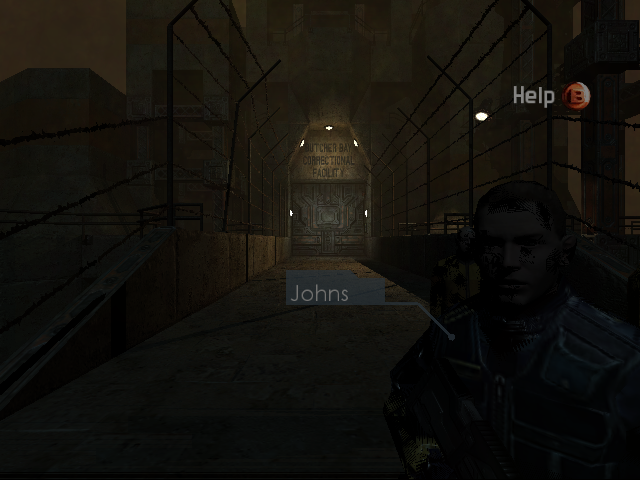
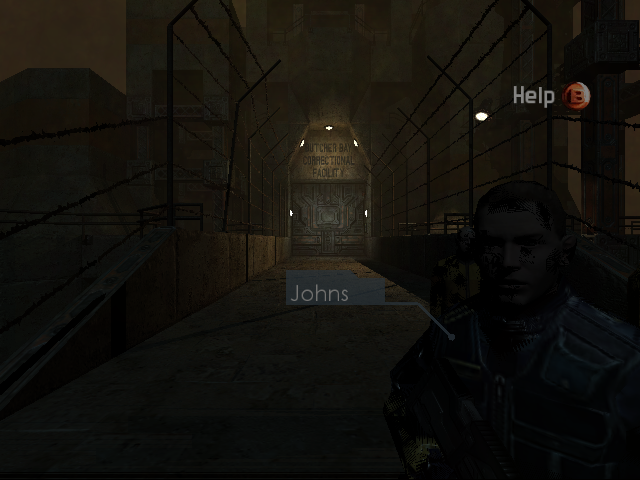
The Mac build at the Butcher Bay gate, captured on 21 November. Look at the character on the right: the face and jacket are almost black while the architecture behind is lit. This is the bug I did not fix on Sunday.
Debug views for the combiner
The rest of the day went into views aimed at the combiner. I added output modes that paint only the draws using the suspect texture stage and leave everything else in normal colours. That keeps a scene recognisable in a capture, which matters because a fully debug-coloured frame is hard to read. I also added a trace that prints each distinct combination of texture modes once, with texture formats and sizes. That should show me which shader variants the dark characters use.
Two housekeeping changes came with it. The test harness now clones the save for each run, so one run cannot poison the next. And I restored one save that had drifted from the version in the repository.
By size, most of the day's save was evidence rather than code: about 30 capture logs from the 21st and 22nd, plus a reference screenshot from the xemu emulator, which is the open-source Original Xbox emulator I am borrowing a combiner generator from. I read its public site to confirm what it is. I have not yet ported anything from it.
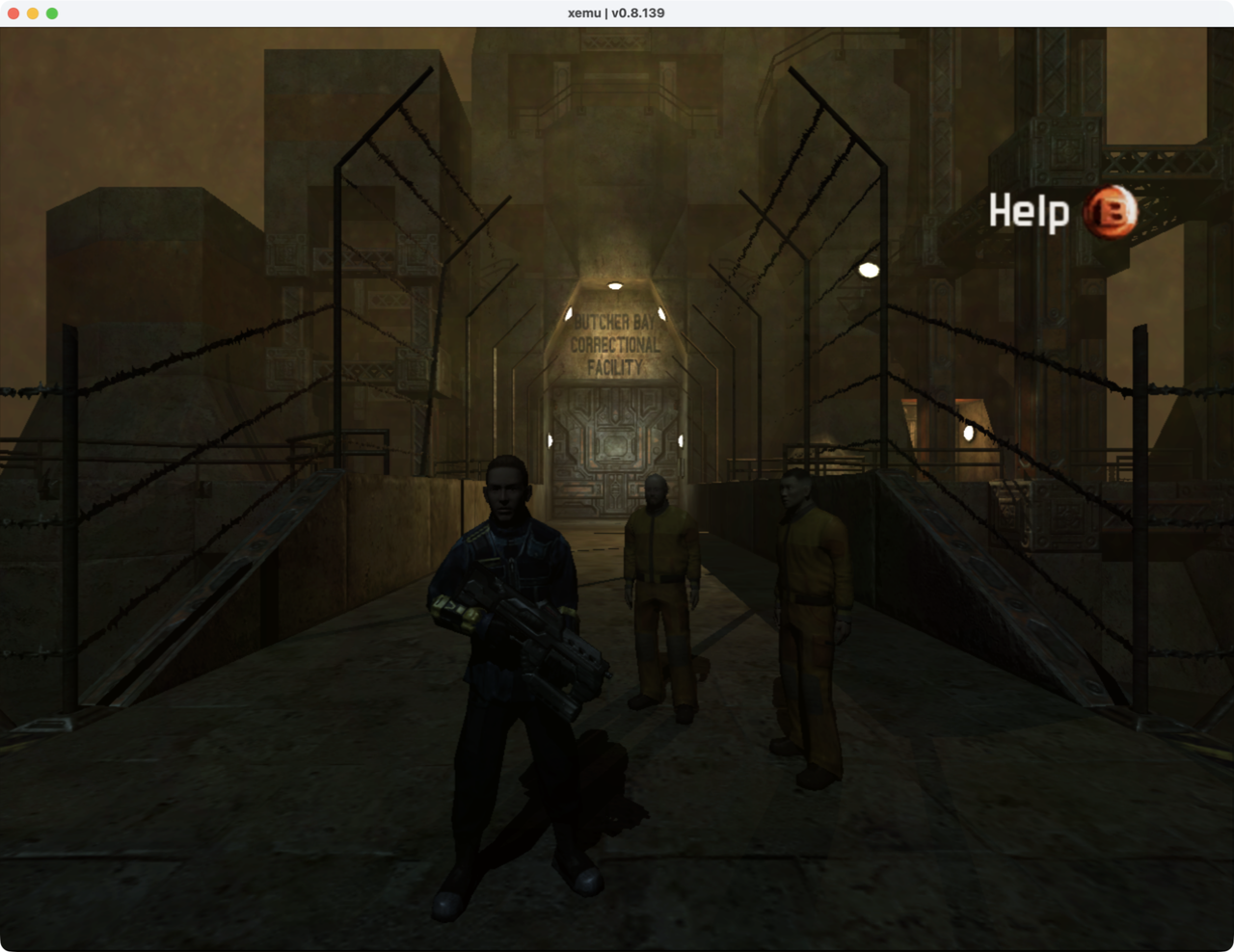
The xemu reference frame at the same gate, captured on 22 November in a single emulator window. The characters here are readable, which is the target the Mac build has to match.
What I did not verify is the important part. I did not rerun the full build against the reference after Sunday's changes, so I cannot tell you the new overlay and readout match the reference frame for frame. I have no new Mac capture from Sunday either, which is why the first picture above is from Saturday.
I am also showing one older Linux capture, because it is the other kind of failure this port has produced: a frame that is visibly broken rather than merely dark. I did not work on it on Sunday and I have not checked whether it is still reproducible.
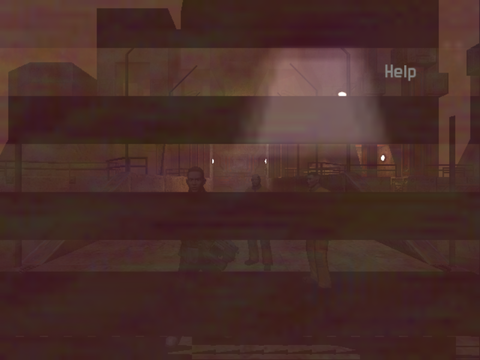
An earlier Linux capture, dated 21 November, with bands of corrupted rows across the frame. It is not from Sunday's work, and it is a different bug from the dark characters.
Dante audit host: a careful copy that reaches the difficulty screen
My Mac version of a PlayStation 3 game, tracked in Friday's entry, got a second, more careful copy on Sunday. The reason is plain. The main working folder holds a pile of experiments, and I no longer trust my memory of which ones matter. So I made a clean candidate folder, and on Sunday it received its first save: 16 files and about 3,400 lines. It holds the launcher, a settings loader, a cinematic skipper and a script that packs a portable Mac bundle. Nothing has been merged back, and nothing has been pushed.
The test that counted was small. In an isolated run I moved the selection from the first difficulty to the second, confirmed it, and watched the game drop into its opening story. Two fixes got it there. The Start button was not being handled properly in the candidate, and the benchmark launcher forced a setting that kept the pad state changing every frame. With both changed, the run got past the menu.
| Check | Result |
|---|---|
| Difficulty screen, second option confirmed | Reached the opening story |
| Later bundle, strict signature check | Passed |
| Fresh-data diagnostic run | Passed |
| Muted startup | 35 seconds, passed |
| Registered tests in the combined build | 40 passed |
| First stretch of real gameplay | Not verified |
| Physical controller | Not tested |
| A whole level, run automatically | Not finished |
Two things I tried did not work out. An opt-in rescue for the game's scripting engine caught a jump I injected on purpose, but my fake error was not a valid script error and the next step crashed on empty data. That is not a recovery test and I am not calling it one. A gentler way of pacing the audio is also optional, and I have not shown that it fixes the memory-freeing loop it was meant for. You can read the longer version in the day's Dante entry.
I have no picture for this one. The only frames I have are from a commercial game, and my notes say the game data stays private. I am keeping to that.
M5 Omarchy day one: a runbook for machines I have not touched
Two Bosgame M5 mini computers arrive Monday. Each has 128 GB of memory and exists to run large AI models locally. I did not want to lose a day to setup, so I spent Sunday on paper. The full entry has the detail. The result is a folder of instructions and scripts that takes a blank Omarchy install to a running chat model.
Nothing has been tried on the real hardware. Every claim in the folder was checked against my network storage and the model cards, not against a booted machine. That sentence is at the top of the folder too, because a runbook that sounds confident is the kind that burns you.
The generic Linux recipe on my model inventory site assumed a different boot loader and package set than Omarchy uses. So I wrote the exact boot snippet, package lists and a build script for the inference software, plus copy and verify scripts and eight launch scripts, one per model.
| Item | Count or size |
|---|---|
| Model builds present | 30 of 30 |
| Total size | about 3.75 TB |
| On the network drive | 22 builds |
| On the USB disk (image and video) | 8 builds |
| Extra cross-platform models staged | 9, about 89 GB |
One note on numbers. The inventory site's front page, which I opened on Monday, counts 39 builds and about 3.8 TiB. My runbook counts 30 builds for the M5 set. I believe the gap is the 39 Mac on-device builds overlapping with the archive, but I did not reconcile the two lists, so treat the 30 as the runbook's own scope.
One model, Mirai, is built for Nvidia hardware and will not load on these machines. I picked a 27-billion-parameter substitute at its full 262,000-token context. I also wrote down two risks. The big media set and a 277 GB Mac backup share one USB drive that is 88 percent full, with no second copy. And running both machines as one pool is a day-two project. I plan to start with one box.
The other folders that moved
Three more folders were flagged and I left them out on purpose. The hermes-webui folder only pulled upstream changes into an unmodified copy. The bosgame and xemuriddick folders each held an empty initial commit. The Butcher Bay vertex-work copy and the Dante's Inferno planning folder are working copies of the projects above, so they are covered there. I have no earlier story on these three worth linking, and I am not going to pad one in.
The Dante work started in Dante's Inferno Finds Its Fast-Forward Clock, if you want the earlier chapter.
What I would tell you
Fix what you can see before you fix what you cannot. A frame counter that double counts is a small lie, and it sat on top of a bigger problem for days. I would not trust any performance number until it counts distinct pictures.
Keep a clean copy next to the messy one. The Dante candidate only got past a menu because I could change two things in isolation and know nothing else had moved.
Write the runbook before the box arrives, and write down what you did not test. Mine says nothing has booted. If Monday goes badly, that sentence will have saved me from blaming the wrong step.
And do not call a day a win because the tools got better. Butcher Bay's characters are still dark.
Sources
- xemu, the Original Xbox emulator, opened on 23 November to confirm what the project is.
- Remnant AI Models, my own model inventory site, opened on 23 November for the build count and size.
- My project folders, git history and the three entries for 22 November, which are the record for everything else here. I did not rerun any builds or tests myself while writing this.
Keep reading
Butcher Bay Mac Port Hits 60 fps, Comfy Golf Gets a Site
The Mac port of Escape from Butcher Bay now plays smoothly but draws characters too dark, while Comfy Golf and my AI models catalog gained new pages.
Quiet Links Golf Gets a Swing as Dante Recomp Speeds Up
On Friday my browser golf game Quiet Links gained a three-press swing and a caddie, while three Mac game conversions each moved a little.
Dante Recomp Host Plays on My Mac as GoW3 Recomp Hangs
A converted PlayStation 3 game reached real gameplay on my Mac while a second, God of War III, drew a splash screen and froze.