Getting Control Back of My Hisense TV
A television that had been crawling for three days turned out to be hung on a USB stick it had half-swallowed, and a second ghost drive nobody knew was there was blocking every app install.
The TV in the family room had been slow for days. Menus took a beat too long, apps opened grudgingly, and a notification kept coming back: "hp USB drive is corrupt. Select to fix." Selecting it did not fix it. The Storage screen listed the same physical stick three times, once as a 121 GB drive, once as "Not connected", and once as safely ejected.
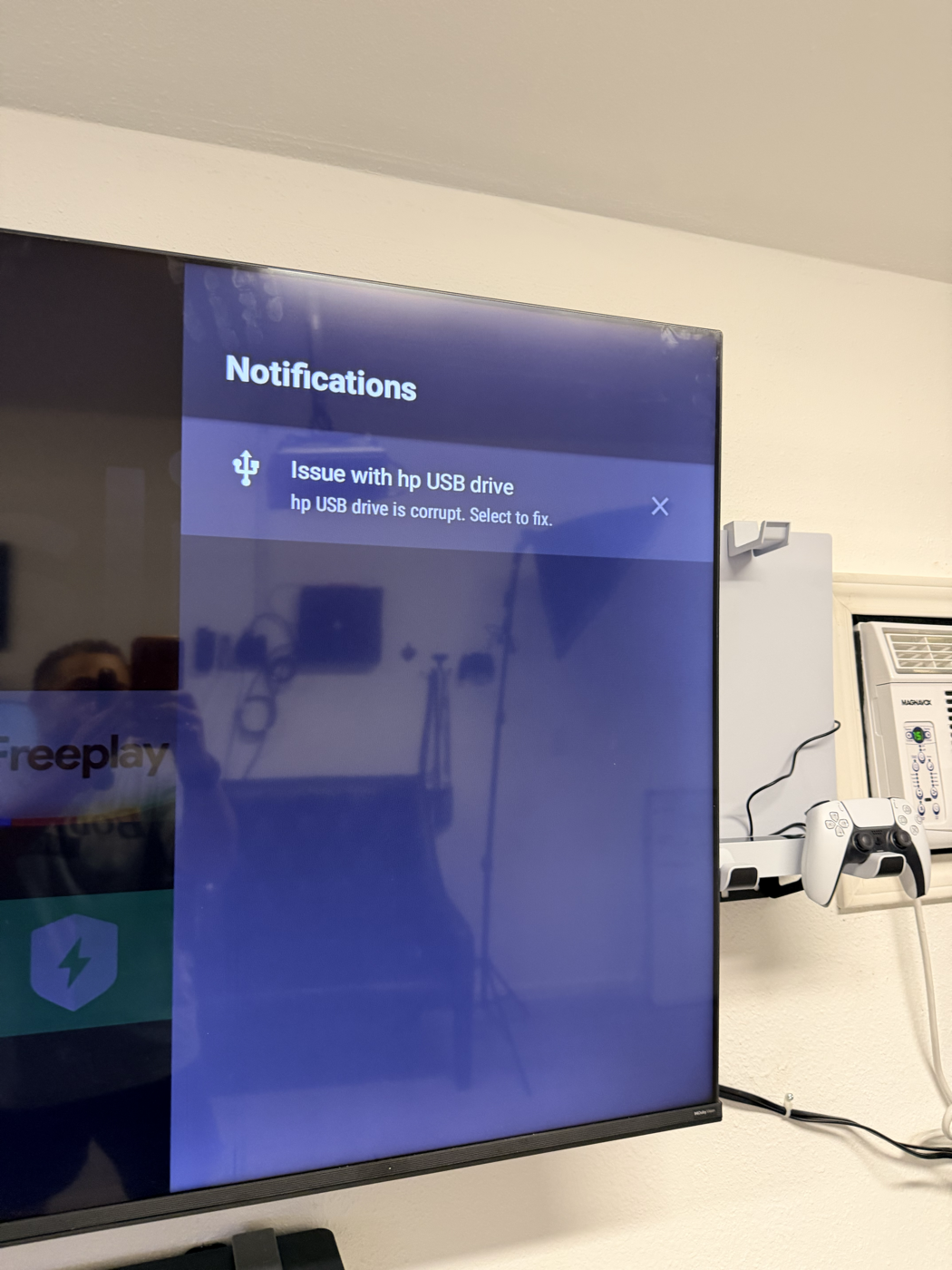 The notification that would not go away, Issue with hp USB drive, photographed on the television during the 11 October 2026 repair this post describes.
The obvious theory was bloatware. An entry-level Android TV with 4.3 GB of internal storage is usually slow because it is full of preinstalled junk, and the usual advice is to connect over ADB and disable whatever you do not use. That theory was wrong twice over, and the second wrong turn was the interesting one.
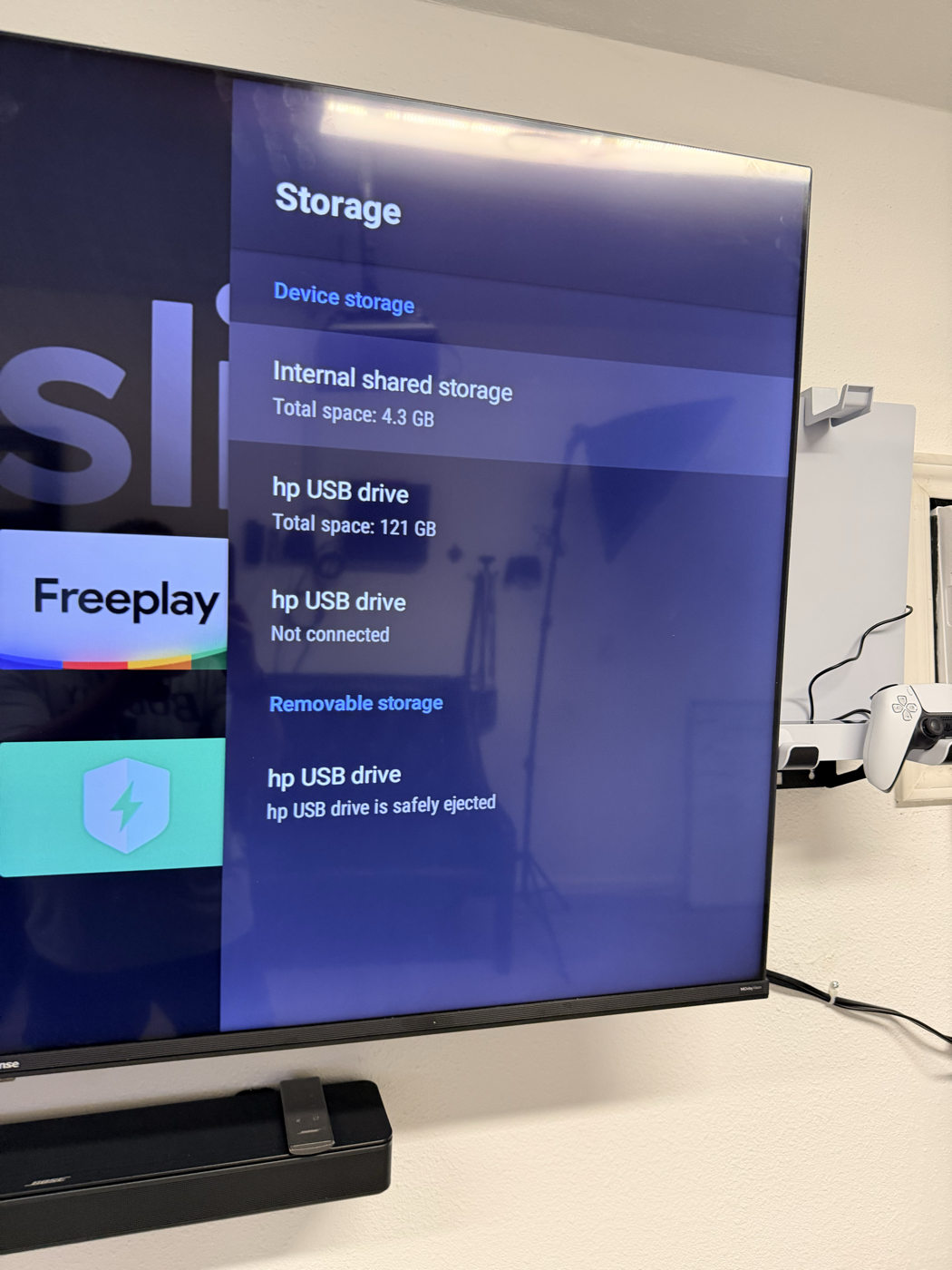 The television's Storage screen listing the same HP USB stick three ways, as 121 GB, as Not connected and as safely ejected, photographed during the 11 October 2026 repair this post describes.
The TV was not slow, it was hung
dumpsys refused to answer at all:
$ dumpsys diskstats
Service dumps disabled due to hung system process.
Android's watchdog had flagged system_server. That is not a tuning problem, it is a wedged operating system. The timestamps said when:
| Event | Time |
|---|---|
| Adopted storage volume created | 2026-10-08 17:14 |
system_server current start |
2026-10-08 ~17:00 |
Three days earlier I had chosen Set up as device storage on the USB stick — this is my television, and it was my finger on the button. That option tells Android to adopt the drive as an extension of internal storage, encrypt it to the TV, and move apps onto it. On this chassis it partitioned the drive mixed — half portable, half adopted — and the portable half came out with a damaged filesystem that vold could not mount. sm mount failed silently every time. StorageManagerService blocked on it, the watchdog tripped, and the television had been limping ever since.
The slowness and the "corrupt drive" message were not two problems. They were one.
$ sm list-volumes all
public:8,241   unmountable                    <- the corrupt notification
private:8,242  mounted  eb2f2137-...          <- adopted, and empty
emulated;0            unmounted null
emulated:8,242;0      unmounted null
The adopted half held 104 KB of 113 GB. Nothing had ever migrated to it. Repartitioning the whole disk as plain portable storage took one command, and a reboot cleared the watchdog.
$ sm partition disk:8,240 public
$ dumpsys diskstats
Latency: 1ms [512B Data Write]
Recent Disk Write Speed (kB/s) = 4621
It answered.
There was no bloatware
The second wrong assumption. A package count settles it: 131 packages, zero third-party apps. Every single thing on the device shipped with it. The planned sweep of pm disable-user commands would have bought almost nothing while risking the HDMI inputs and the tuner.
What actually helped was looking at who was holding memory, which only became possible once dumpsys worked again:
| Package | Holding | Verdict |
|---|---|---|
com.google.android.tvlauncher |
193 MB | the launcher itself — kept |
com.netflix.ninja |
97 MB | in use — kept |
com.android.vending (+background) |
131 MB | Play Store, in use — kept |
com.google.android.gms |
66 MB | Play Services — kept |
com.google.android.katniss |
46 MB | Assistant on a TV nobody talks to — disabled |
com.google.android.videos |
25 MB | Play Movies, unused — disabled |
com.hisense.tv.smartsense |
11 MB | ACR viewing tracker — disabled |
air.com.vudu.air.DownloaderTablet |
13 MB | Vudu, unused — disabled |
Fourteen packages went out in total, all with pm disable-user and never pm uninstall, so every one of them is a single command away from coming back.
CPU, for the record, was 87% idle the whole time. The TV was never underpowered. It was stuck.
The second ghost
With the TV fast again, a different complaint surfaced: installs from the Play Store started and never finished. The log showed the store crashing on launch with a dependency-injection failure, which clearing its data fixed. But installs still died, now with a session that was created and immediately abandoned.
The cause was a drive that had not existed for some time:
$ sm get-primary-storage-uuid
c3603910-b796-4069-b1a2-e7e70e352d42

VolumeInfo{emulated;0}:
    type=EMULATED  state=UNMOUNTED
    path=null  internalPath=null
That UUID belonged to a different adopted volume from an earlier attempt of mine — not the one from the 8th, an older one I had long forgotten. The system still believed primary storage lived there. Because that volume was gone, /sdcard never mounted, and every install session was abandoned before a byte was downloaded. The dump listed two dead private volumes and five stale public records going back to 2020.
sm forget all cleared them. Primary storage reverted to null, which is correct for internal, and emulated;0 moved from unmounted to checking to mounted on its own. /sdcard came back with its Android, Movies, Music and Pictures directories.
Both apps installed on the next attempt. Apple TV took seventeen seconds.
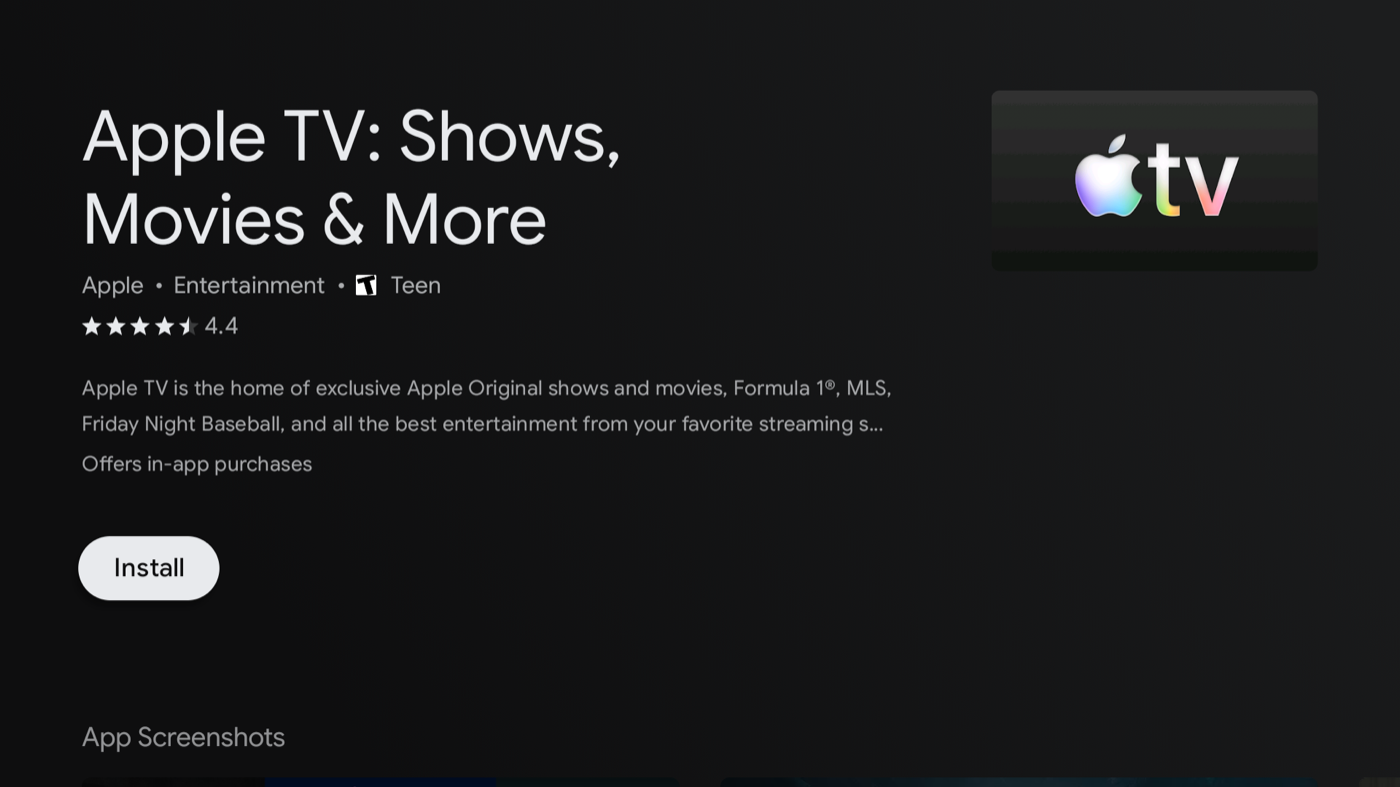 The store page for the Apple TV app, with its Install button, that had been refusing to install anything. Screenshot from the 11 October 2026 repair this post describes.
Before and after
Every figure below is read from the device, not estimated.
| Metric | Before | After | Change |
|---|---|---|---|
system_server |
hung (watchdog tripped) | healthy | fixed |
dumpsys |
refused to answer | answers | fixed |
| Available memory | 397,768 kB | 848,912 kB | +113% |
| Free memory | 60,604 kB | 395,320 kB | +552% |
| Swap in use | 332,668 kB (65%) | 228,624 kB (45%) | −31% |
| Running tasks | 614 | 446 | −27% |
| Zombie processes | 3 | 0 | cleared |
| Disk write latency | unmeasurable | 1 ms | measurable again |
| Disk write speed | unmeasurable | 4,621 kB/s | — |
| USB volume records | 3 (one unmountable) |
1 (mounted) |
fixed |
| Usable USB capacity | 0 B | 115 GB | fixed |
/sdcard (emulated;0) |
UNMOUNTED, path=null |
mounted |
fixed |
| Primary storage UUID | c3603910-… (ghost) |
null (internal) |
fixed |
| Stale volume records | 7 (2 private, 5 public) | 0 | cleared |
| Disabled packages | 1 | 15 | 14 added |
| Play Store app install | failed, status_code 1047 |
Apple TV 17 s, HBO Max 54 s | fixed |
| Remote power button | dead (emits no scancode) | Harmony Ultimate One over IR, on and off from deep standby | solved |
| CPU idle | 348% / 400% | 342% / 400% | unchanged — never the problem |
| Internal storage | 4.3 GB total | 4.3 GB total | unchanged — hardware |
| Max refresh rate | 60 Hz | 60 Hz | unchanged — hardware |
The last three rows matter as much as the rest. Two numbers did not move because they cannot: the data partition is 4.3 GB and the panel tops out at 60 Hz. And CPU idle barely changed because the processor was never the bottleneck — a detail that would have been invisible if the first instinct, "strip the bloatware", had gone unchallenged.
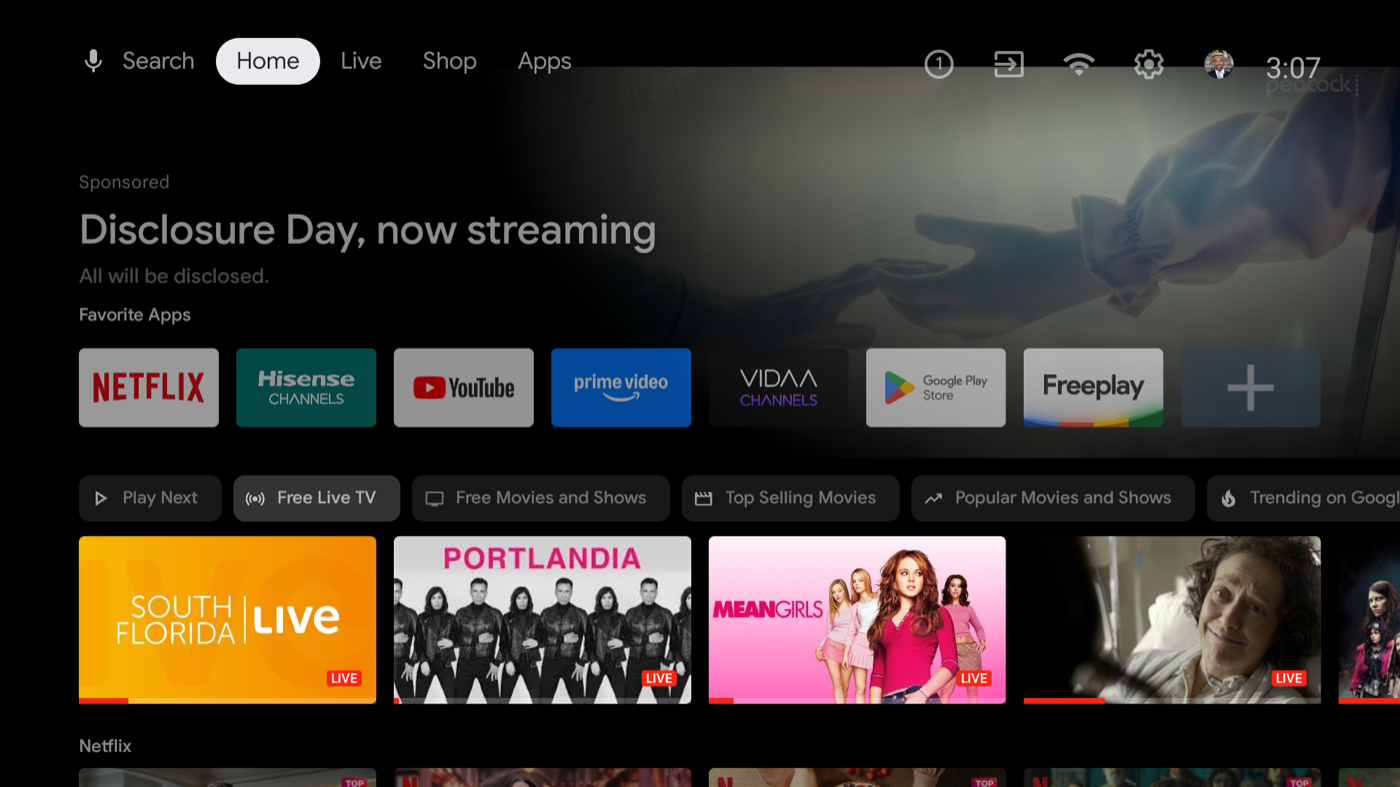 The television's stock home screen, with a sponsored banner at the top and app shortcuts below it. Screenshot from the 11 October 2026 repair this post describes.
The launcher was the last big thing
With the storage faults gone, the biggest single consumer left was the home screen itself. Google's TV launcher held 257 MB, and tvrecommendations, which feeds its rows, held another 75 MB — 332 MB of a 1.8 GB device spent on a home screen that was serving a sponsored ad for a colon cancer screening kit above the app row.
Replacing it with Projectivy Launcher, from the Play Store, took one install and one command:
$ cmd package set-home-activity com.spocky.projengmenu/.ui.home.MainActivity
Success
That alone did nothing. The system kept resuming Google's launcher anyway — set-home-activity reported success, get-default-launcher reported Projectivy, and pressing HOME still landed on com.google.android.tvlauncher/.MainActivity. A force-stop did not help either. Only disabling the Google launcher outright left the home intent with somewhere else to resolve:
$ pm disable-user --user 0 com.google.android.tvlauncher
$ dumpsys activity activities | grep mResumedActivity
  mResumedActivity: ... com.spocky.projengmenu/.ui.home.MainActivity
| Launcher metric | Before | After | Change |
|---|---|---|---|
| Launcher process | 257,904 K | 159,908 K | −38% |
tvrecommendations |
73,828 K | disabled | −74 MB |
| Available memory | 539,208 K | 848,912 K | +57% |
| Free memory | 43,256 K | 395,320 K | +814% |
| Swap free | 237,812 K | 283,372 K | +19% |
| Sponsored rows on home | 2 | 0 | — |
Worth being precise about one thing: Projectivy is not a featherweight. At 160 MB it is lighter than Google's launcher by 98 MB, not by an order of magnitude. The larger share of the gain came from retiring tvrecommendations, which existed only to populate rows that no longer exist.
Its default layout also turned out to suit this TV better than expected: inputs first, apps second. (I originally wrote that this set is watched "through an Apple TV box and a PS5 on HDMI". That was an inference from a list of apps the owner named, and it was wrong: there is no Apple TV box here. Apple TV is one of the apps running on the television itself. The PlayStation on HDMI 2 is real.)
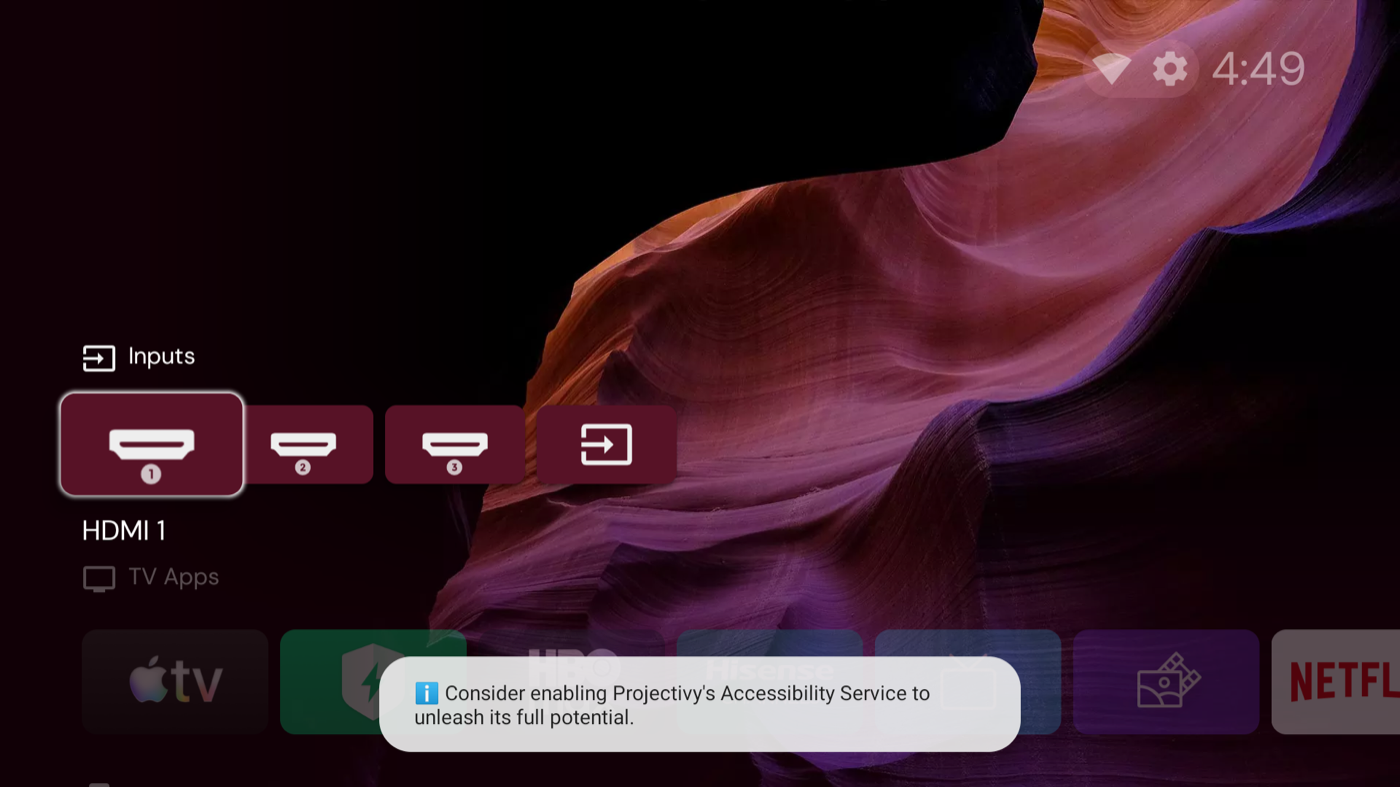 The replacement launcher, Projectivy, showing inputs first and no sponsored rows, with a setup hint at the bottom. Screenshot from the 11 October 2026 repair this post describes.
The power button really was broken
Earlier in this project I had written the power button off as a non-issue. The evidence looked clean: a KEY_POWER event at timestamp 454.393, an mLastSleepTime of 454393, fresh batteries. Button works, nobody retested, case closed.
That was wrong, and the way it was wrong is worth recording. The KEY_POWER I had found was one I had injected myself over ADB. I had measured my own command and credited the remote with it.
The honest test is to watch the input layer while a human presses the actual buttons:
$ getevent -lq
/dev/input/event2: EV_MSC MSC_SCAN 0004fb52
/dev/input/event2: EV_KEY KEY_RED   DOWN
/dev/input/event2: EV_MSC MSC_SCAN 0004fb43
/dev/input/event2: EV_KEY KEY_MENU  DOWN
Arrows, the colour bars, menu — every key on the remote reported cleanly on /dev/input/event2, the MStar IR receiver. The power key produced nothing at all. Not an unmapped scancode, not a dropped keycode: zero bytes. With Bluetooth showing an empty bond list, the remote was running pure IR, so this was not a pairing problem either. One switch on a ERF2K60H had simply died.
The clean fix would be a keylayout edit. The IR receiver reads its map from /vendor/usr/keylayout/Vendor_3697_Product_0001.kl, and remapping KEY_RED to POWER there is a one-line change. On a production build with no root and a read-only /vendor, that file cannot even be read, let alone written.
What is available is that the ADB shell user belongs to group 1004(input), which means it can read the IR receiver directly without root. So the remap lives in userspace: watch /dev/input/event2, and on KEY_RED, inject power.
adb shell getevent -lq /dev/input/event2 |
while read -r _type key val; do
  [ "$key" = "KEY_RED" ] && [ "$val" = "DOWN" ] || continue
  # 26 = KEYCODE_POWER, 224 = KEYCODE_WAKEUP
  ...
done
The part I expected to fail was waking the set back up, and the first test said it worked:
09:37:45 RED -> POWER (sleep)
09:37:52 RED -> WAKEUP
I wrote that up as a complete power toggle. It is not, and the mistake is the same shape as the one I made with KEY_POWER earlier in this project: I tested the easy case and generalised from it. Those two log lines are seven seconds apart.
Standby on this chassis has two stages. For the first few minutes the panel is off but the SoC is up, Wi-Fi is associated, and ADB answers — which is the window my test fell into. Then the set drops to real deep standby and powers the radio down. The full log says exactly when:
09:38:02 RED -> POWER (sleep)
09:38:44 event stream ended; reconnecting
09:38:52 watching ...                       <- still reachable
09:43:11 watching ...                       <- still reachable, stream flaky
09:47:15 event stream ended; reconnecting   <- gone
(nothing for 21 minutes)
Nine minutes and thirteen seconds. After that the TV is off the network: no ping, no ARP entry, port 5555 closed. Wake-on-LAN does not help either, because the radio itself is unpowered — magic packets to both the wireless and wired MACs, on broadcast and directed, ports 7 and 9, produced nothing.
And the watcher sees the red button through ADB. So the moment the TV leaves the network, the remap goes blind. Which means what I actually built was a button that reliably turns the television off, and can only turn it back on if you press it again within about nine minutes. Past that you are reaching for the set's own power button, or waking it over HDMI-CEC by switching on the PlayStation.
That is worse than useless as a default: it is a trap, and the person who set the trap was me. The honest summary is narrower than the one I first wrote. The remap proves the input path is reachable without root — KEY_RED really does arrive, input keyevent 26 really does work, and uid 2000 in group 1004(input) really can read the IR receiver. It does not solve power-on, and nothing in userspace can, because the operating system is not running to be remapped.
The fixes that actually address power-on are all below or beside Android. I tried three of them.
Three things that did not work
WakeUpHotKey. A vendor setting in settings global, shipped as 0, with a name that reads exactly like "which scancodes may wake the panel". The IR receiver is demonstrably powered in deep standby — that is how any television wakes on its own power button — so if that gate could be widened to include KEY_RED, the problem solves itself with no ADB, no watcher and no LAN dependency.
I set it to 1 and rebooted to be sure the vendor layer read it at boot. It persisted. Then the test, which took three attempts to run honestly: the TV parked in confirmed deep standby, off the network, port closed, and a human pressing the red bar several times. Nothing, for three minutes. WakeUpHotKey=1 does not widen the wake gate, or at least not to this scancode. Reverted to 0.
IP Control Port. A Hisense networked-standby toggle buried in Device Preferences, shipped off. This looked like the real answer — it is the switch that keeps the IP stack alive while the set is off, and the entire failure mode here is the TV leaving the network. Turned on, slept the TV, watched.
without IP Control, nothing holding a connection   ~60 s
without IP Control, watcher holding ADB open       ~9 min 13 s
with IP Control, watcher holding ADB open          ~8 min 43 s
No effect. Within noise of the previous run. Deep standby arrives on its own schedule and takes the radio with it. (One honest caveat: the toggle may want a reboot to take effect, which I did not retest.) Turned back off, since it opens a listening port on the LAN for no demonstrated benefit.
FAV/TV Button Customization. A genuine, supported, first-party remapping feature — com.hisense.favkey — sitting right there in the menu. Twenty options: Channels, the three HDMI inputs, Composite, Settings, Play Store, YouTube, Netflix, Prime Video, Apple TV, HBO Max, Projectivy Launcher, an input-source popup, and the rest. Every one of them is "jump to an app or an input". There is no power, no standby, no sleep. It also governs the FAV/TV button only, not the colour bars.
So the one supported remapping surface on the whole television cannot express the one action I wanted.
What was actually learned
That the cheap boring fix was correct from the beginning. A replacement ERF2K60H is about ten dollars, and I spent a morning establishing that nothing in software can substitute for it — because once the panel is in deep standby the operating system is not running to be remapped, and no amount of cleverness in userspace changes that.
The work was not wasted, but it is worth being precise about what it bought. It proved the input path is reachable without root: KEY_RED really does arrive on /dev/input/event2, uid 2000 in group 1004(input) really can read the IR receiver, and input keyevent 26 really does work. That is a genuinely useful off switch and a reliable one. It is simply not a power button, because half of what a power button does happens while the computer is off.
HDMI-CEC remains the one path that solves power-on without new hardware, and it is already enabled here with mAutoWakeup: true — the PlayStation on HDMI 2 wakes this set reliably, which is how I recovered it every time I stranded myself. I had also written that the Apple TV was missing from the CEC device list and was "worth fixing". It was not missing; it does not exist. There is no Apple TV box on this television, so the only CEC source available is the console.
The answer was in a drawer
After all of that, the owner went and found a Logitech Harmony in a drawer. The label reads N-R0007, which is a Harmony Ultimate One: a 2.4-inch touchscreen universal remote with a backlit keypad and a charging cradle, good for fifteen devices.
It is the right tool for exactly the reason the software could not be. A Harmony sends infrared, and the one component of this television that has worked flawlessly all along is its IR receiver — /dev/input/event2, the MStar IR receiver, which reported every key I pressed and which is demonstrably powered during deep standby, because that is how any television wakes on its own power button. The whole morning's problem was that the thing listening for a wake signal is not Android, and the thing I could reach was Android. An IR remote talks to the layer that is actually awake.
Two caveats worth recording before this is declared finished, because this project has already produced two claims I had to retract.
The software is on a knife edge. The original MyHarmony desktop app is 32-bit and will not launch on anything since macOS Catalina. Its replacement, Harmony Desktop, is 64-bit and does list the Ultimate One among the models it supports — alongside the 200, 300, 350, 600, 650, 665, 700, Touch and 950. That it is listed at all is luck: Logitech ended support for the legacy Harmony software on 28 May 2025, and every cradle-charged model from that era — the 880, 885, 890, 900, 1000 and 1100 — can no longer be reconfigured at all. They still run whatever they were last told to do, forever. The Ultimate One missed that cull by being a later design.
The remote is not talking to the computer yet. ioreg -c IOUSBHostDevice shows only Apple hubs, and the system log has no USB enumeration events at all. Charge-only cable and flat battery are the obvious suspects.
One more limitation worth knowing in advance: the PlayStation has no infrared receiver. No IR remote can power it on. That is a Bluetooth-only device, and without a Harmony Hub it is outside this remote's reach entirely — so the console keeps its own controller.
Which leaves a shorter list than I first assumed. There is no Apple TV box, so the infrared devices in this room are exactly two: the television and the Bose soundbar. That is still enough, because the television is the one with the broken button. And there is a neat second use for a learning remote here — the Hisense remote's dedicated Netflix, Prime Video, YouTube and Google Play keys are discrete IR codes, so a Harmony can learn them and put them on a touchscreen page, which is closer to how this set is actually watched than any input list.
It works
The Harmony Ultimate One syncs through Harmony Desktop, and the 65A53FUA profile — a sibling model, chosen because this television's own 60A53FUA is not in Logitech's database — drives this set correctly.
The test was built to be hard to fool, because by this point I had twice published a conclusion that did not survive contact with evidence. The television was left in genuine deep standby: off the network entirely, ADB dead, ping failing, port 5555 closed. My userspace watcher was unloaded, so nothing on the LAN could reach it. A baseline was recorded beforehand. Then a human pressed power on the Harmony.
                 baseline        after
mLastWakeTime    2852948    ->   4412452      (+1,559,504 ms)
mLastSleepTime   3276567    ->   3276567      (unchanged)
mWakefulness     Asleep     ->   Awake
Display Power    OFF        ->   ON
mLastWakeTime is the only number that settles this. Reachability does not: three separate times today a single dropped ping looked like a wake and was not, because Wi-Fi power-save drops packets in light standby. A moved wake timestamp, with the sleep timestamp unchanged, means the panel came up from deep standby and nothing else.
So the thing that could not be fixed in software was fixed by a remote from a drawer, for the reason that was visible from the very first getevent: the IR receiver is the one part of this television that never stopped working. It reported every key press cleanly, including from a remote whose power switch is dead, and it stays powered when the operating system does not. Infrared talks to the layer that is awake. Everything I built talks to the layer that is not.
It is worth being clear about what the day's software work was and was not. It established real things — that KEY_RED arrives, that uid 2000 in group 1004(input) can read the IR receiver without root, that input keyevent 26 sleeps the set and 224 wakes it, that standby here is two-stage and the second stage takes the radio down after about nine minutes. None of that was wrong. It simply could not add up to a power button, and I spent several hours and two retractions learning why.
The remote is also no longer a one-off. It is now the TV's remote: the Hisense profile lives on the device itself, so it needs no hub, no application, no Logitech account and no computer from here on. That matters more than it sounds, because Logitech ended support for the legacy Harmony software on 28 May 2025 and every cradle-charged remote of that era — the 880, 885, 890, 900, 1000 and 1100 — is now frozen with whatever configuration it last received. The Ultimate One missed that cull by one product generation.
Two things nearly stopped it, both worth recording. The first sync failed while the remote was in a dock; Logitech's own documentation says to connect it directly, and that was exactly right. The second failure was subtler: Harmony Desktop is a 32-bit-era application shipped as a 64-bit Intel binary in January 2022, sandboxed, and it needs Input Monitoring permission to read the remote as a HID device — a requirement that did not exist when it was written. Without that grant it sat at 0% CPU, parked in a condition variable, looking for a device that was plainly on the bus.
Afterwards
Two smaller findings worth recording.
The TV has no microphone at all: android.hardware.microphone is absent from the feature list, and no package holds RECORD_AUDIO. The only mic is in the remote. The thing worth worrying about on these sets is not audio but ACR — Hisense's SmartSense samples video frames, including on HDMI inputs, which means a streaming box or a console plugged into the TV is in scope too. That package is now disabled.
There is no 120 Hz mode to enable, either. The display subsystem reports exactly one mode, 1920x1080 @ 60.000004, with a refresh range of [0 60]. The panel is 4K-capable and renders its UI at 1080p, but 60 Hz is the ceiling. Anything marketed as 120 on this class of set is motion interpolation, not refresh rate.
The lesson is narrow and worth repeating, and I am the one who needed to learn it: do not choose "Set up as device storage" when a TV offers it. Adoptable storage makes a USB stick part of the operating system, encrypts it so no other device can read it, and leaves records behind that outlive the drive. One bad adoption hung this television for three days. A second one, older and forgotten, was quietly blocking every app install. Both were invisible from the TV's own settings screen.
The hardware ceiling has not moved. But the TV is now running as well as that hardware allows, instead of being wedged on a drive it should never have swallowed.
Keep reading
Hisense Podcasts Sign-in Fix Blanked the Library Screen
A fix for a misdrawn password box on my television's podcasts app blanked the library after sign-in, until I narrowed the fix.
Hisense Podcasts App Fixes Tabs, OK Key and Empty Shelves
The podcasts app on my television had three faults that only showed on a cold start: unreachable tabs, a dead OK button, and empty shelves.
Hisense Podcasts App Gets an Apple TV Look and a Sound Stall
The Hisense television's podcasts app got a new Apple-style home screen and shelves, then a stall in the sound that the new artwork had caused.