I Turned My Old Proxmox PC Into a Headless AI Box
A retired server became an always-on machine for running AI models, and along the way its memory turned out to be quietly changing data, which I did not believe until we tested it.
I took a retired home server and turned it into a quiet, always-on machine that runs artificial intelligence for the rest of my computers. Most of it worked inside a day: it answers questions locally, transcribes speech, talks back and draws pictures, and I run it from a laptop without ever plugging in a screen. Then I found out its memory quietly changes data now and then, which means any big download or build on it can come out subtly wrong. I did not believe that at first, so I asked to be proven wrong. This is the whole story, including the parts where I was the one who was wrong.
The machine
The box was my Proxmox host. MSI MAG X570 Tomahawk WiFi board, Ryzen 9 5950X, 64 GB of RAM and a Radeon RX 6600 XT with 8 GB. It had been my Proxmox host. I wanted it to do something I actually use every day: take AI work off the Macs. The MacBook Neo is where I work, the Mac mini M4 only has 16 GB, and the M4 Max MacBook Pro has 36 GB that I would rather spend on my own work. A 16-core machine with 64 GB felt like a waste as a hypervisor.
The plan was Omarchy, an Arch Linux setup built around the Hyprland desktop. Version 4.0.4. I wiped Proxmox, installed onto the 1.8 TB drive, rebooted, and got this.
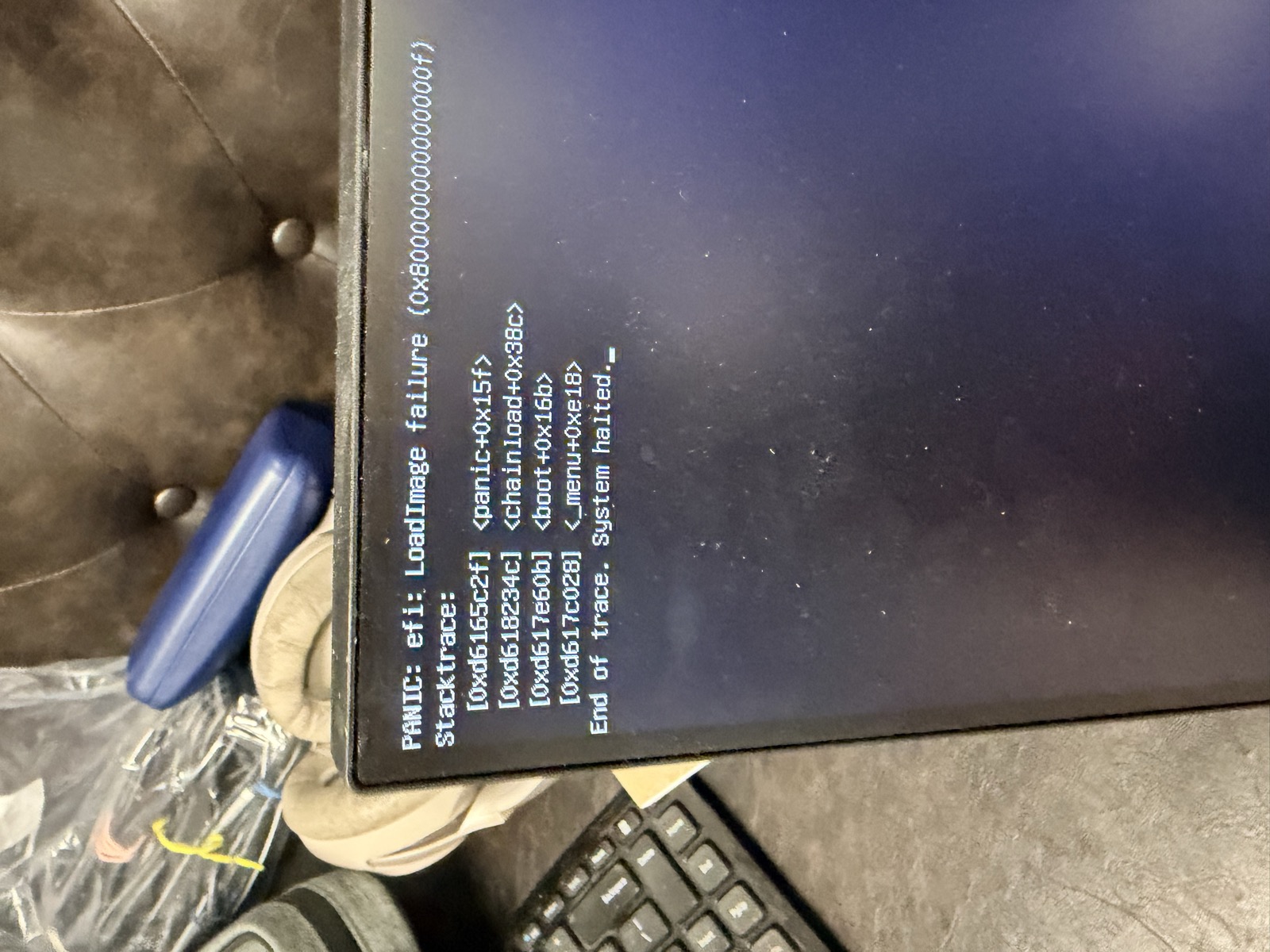
Limine panicking on first boot: "efi: LoadImage failure." It took one BIOS toggle to fix. Secure Boot was on, and Omarchy's bootloader is not signed for it.
Secure Boot off, reboot, and the encrypted-disk prompt appeared. From there I did nearly everything over SSH from the Neo, and I let Claude Code do the typing while I watched and approved.
Getting it online and under control
Wi-Fi first, because I had not run the cable yet, then Ethernet when I did. Tailscale went on so the box has a stable address from anywhere. I gave the setup a narrow sudo rule for package installs and service control, with a note to delete it when we were done, and I kept every vendor installer script off the pipe-to-shell path: download, read, then run as a local file. That rule cost a few minutes per install and I would do it again.
The three extra drives got formatted into a plan: fast work space on the Samsung, models on a second NVMe drive, an archive on the ADATA. The ADATA drive fought back. A leftover software RAID array from its past life was holding it, and the wipe script stopped dead until we shut the array down first.
The first benchmarks
Ollama was running within the hour. I also built llama.cpp for Vulkan and again for AMD's ROCm, so I could compare them on this card instead of trusting forum posts. The 6600 XT is an RDNA2 chip that ROCm does not officially support, so it needs one environment variable to pretend to be a close relative.
| Test (best configuration of each) | Vulkan | ROCm |
|---|---|---|
| Qwen3 8B, everything on the GPU, tokens per second | 47.1 | 44.5 |
| 35B mixture-of-experts model, experts on the CPU, tokens per second | 21.4 | 22.5 |
An 8B model at 47 tokens a second is genuinely pleasant. The 35B model runs because only a slice of it is active per token, so the card holds the attention layers and the Ryzen's cores do the rest. Not fast, but it fits in a box that should not be able to run it.
I will come back to the footnote on these numbers.
Going headless
I wanted no monitor, so I plugged an HDMI dummy plug into the card and asked whether it could do 4K. It can: the plug advertises 3840x2160 at 60 Hz, and I tested it. It costs about 610 MB of video memory, so the box stays at 1080p by default.
To see the desktop I run a Wayland VNC server that only listens on the box itself, and I reach it through an SSH tunnel. That worked, then took three small detours.

Detour one. I tunneled to port 5900, which is also where macOS Screen Sharing lives on the Mac, so the viewer connected me to myself. Moving the tunnel to 5901 fixed it.
RealVNC then asked me to pay for an upgrade, so I installed TigerVNC, which is free and does the job. And the first view was bigger than my laptop screen.
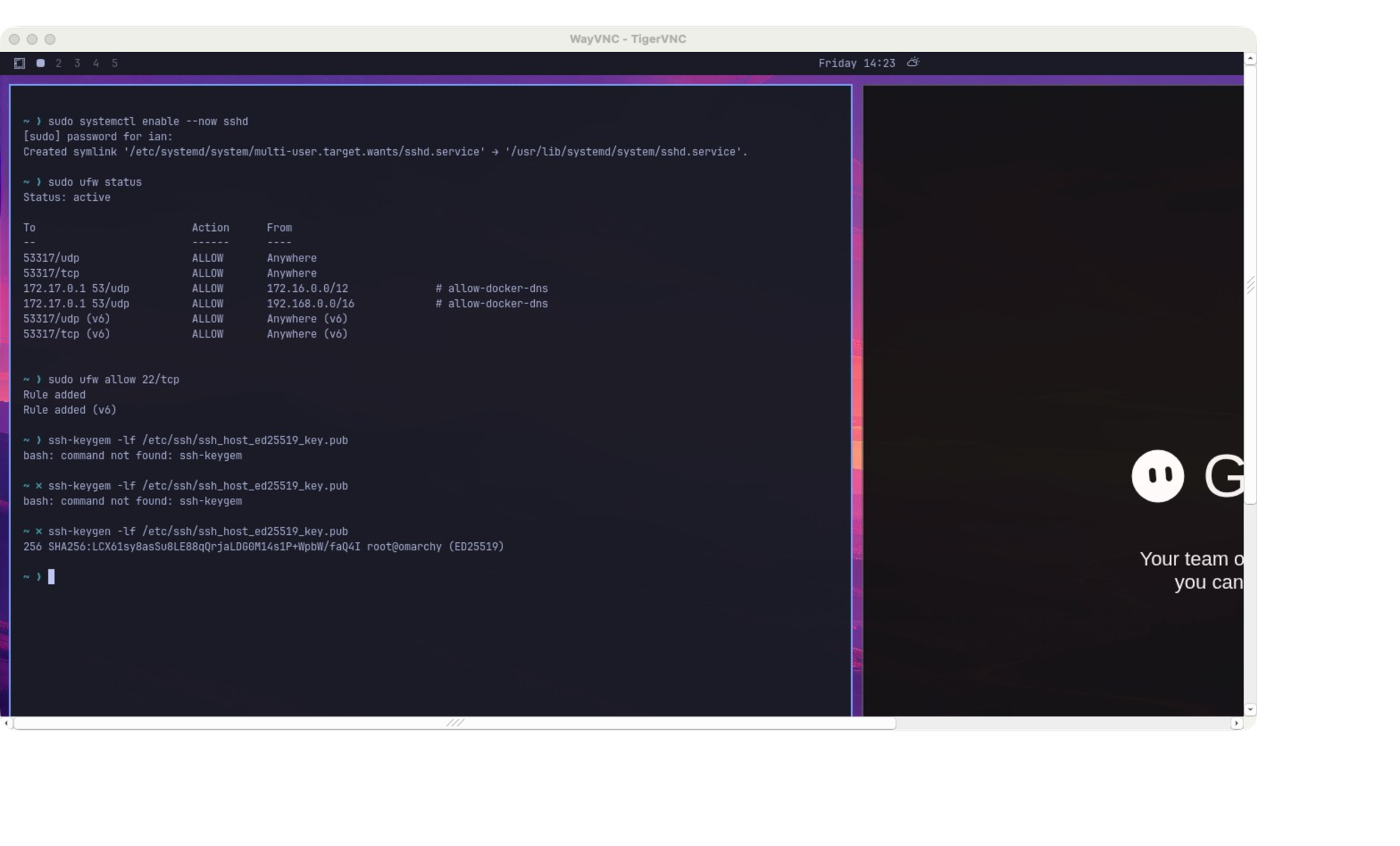
Detour two. A 1080p desktop in a window on a laptop that scales the window up. Dropping the box to 1280x720 fixed the fit.
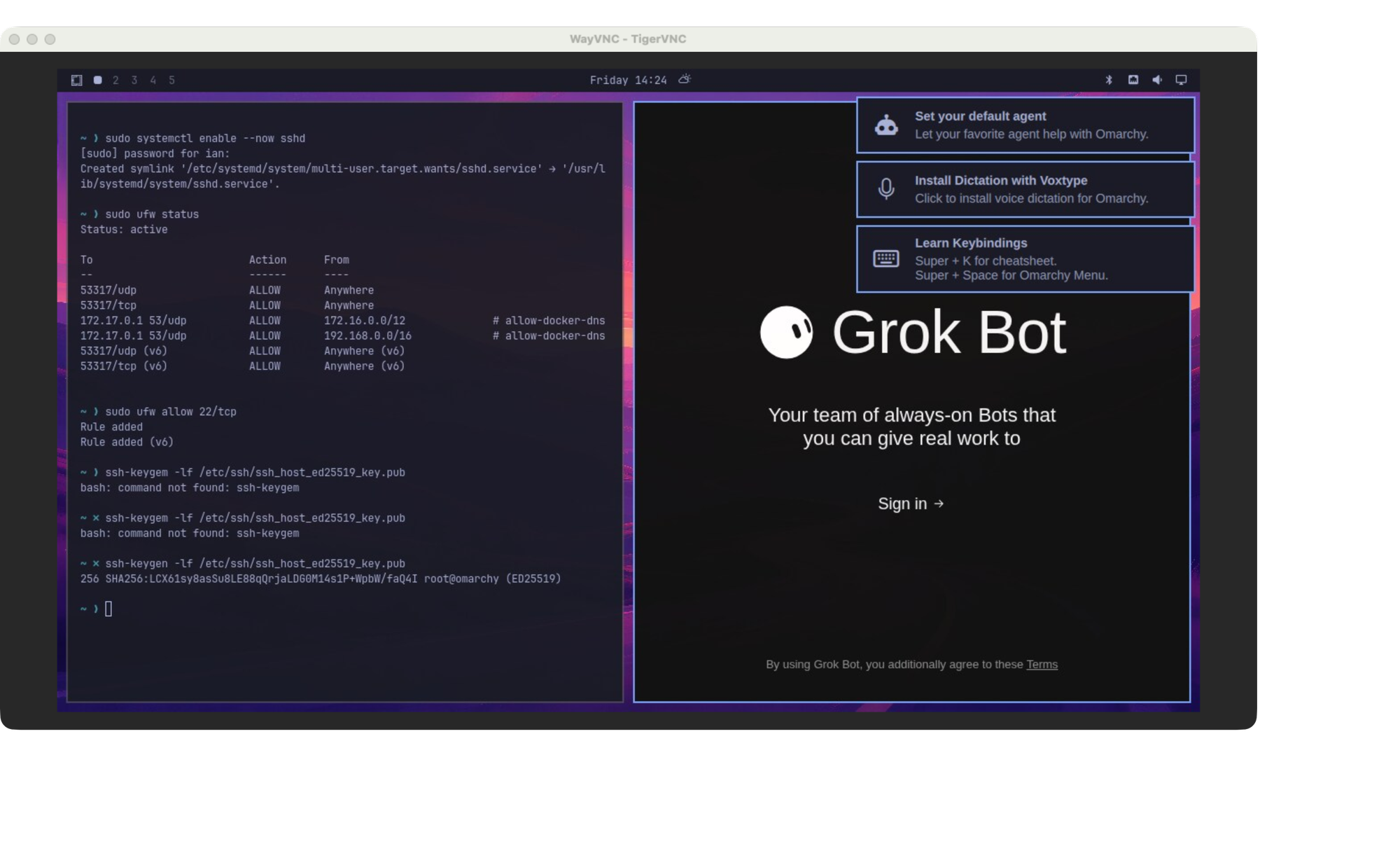
Better. A terminal on the left, Grok Bot waiting for me to sign in on the right. Detour three was that the mouse pointer was invisible, because a machine with no mouse has nothing to draw. One flag in the VNC service turned on cursor rendering.
The agent pile
The point of the box is agents, so it now carries Claude Code, Codex, OpenCode, Grok, MiniMax's tools, Qwen's CLI, the ZCode and Grok Bot desktop apps, a DeepSeek harness and Cua. Google is moving Gemini CLI users to a new tool called Antigravity, so that one is installed as well.
Signing in to all of them from a machine with no screen is its own small chore. Each login prints a code or a link and you finish it on another device. The VNC window handled the two desktop apps. I keep my passwords in Bitwarden, and the Bitwarden command line is installed and kept locked, so I type the master password myself, in my own terminal, and nothing sensitive passes through the assistant.
One thing happened that I did not plan. I signed in to Grok Bot, an autonomous agent, and it went to work on its own. At 8:49 that night it created a project folder, installed a 10 GB vLLM stack, hit an error and put up a notification asking my permission to link a missing library. I found it the next day. I did not approve it, and I am glad the permission prompt held, because an agent with a shell on your server should be watched like one.
The NAS that fell over
Midway through, my Ugreen NAS stopped answering SSH. Load average above 50 on a 4-core machine. I worried that my own automation had caused it. It had not: another agent session had launched a full library scan of 264 games with four workers, each unpacking disc images, and the NAS ran out of memory. The scan was stopped, the setting was pinned to one worker, and by the afternoon the NAS was at a load of 0.26. I am noting it because it was the first of several problems that looked like one cause and had another.
The media pile
Then the fun part. I installed whisper.cpp for speech to text, Piper and Kokoro for speech, and ComfyUI for images, all running on the graphics card.
| What | Result |
|---|---|
| Whisper large-v3-turbo, 11 second clip | 0.73 s on the GPU against 13.1 s on the CPU |
| Kokoro-82M text to speech | 5.8 s of audio in 0.79 s once warm |
| SDXL-turbo image, 512x512 | about 3 s once warm |
Eighteen times faster for transcription is the kind of number that makes a box like this worth owning. But the pictures were where it started to feel wrong.
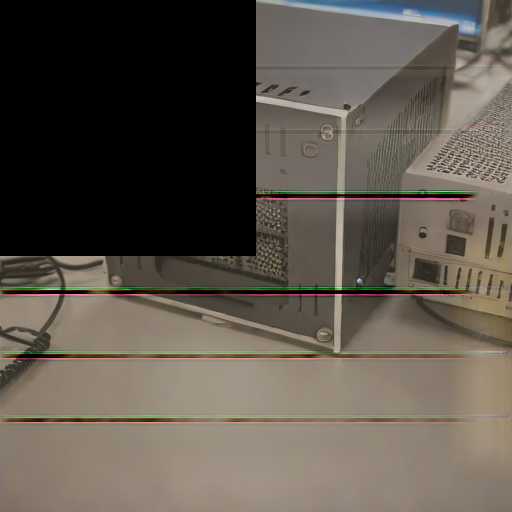
The first image that came out. A black quarter and streaks. I blamed the tiled decoder.
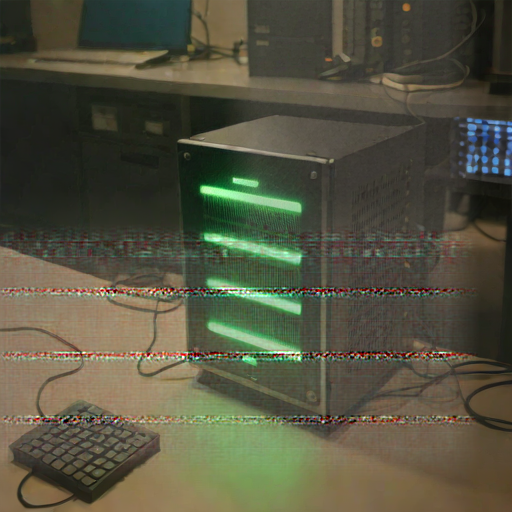
Switching the decoder to full precision fixed the black square. The thin lines stayed, at the same rows with different random seeds.
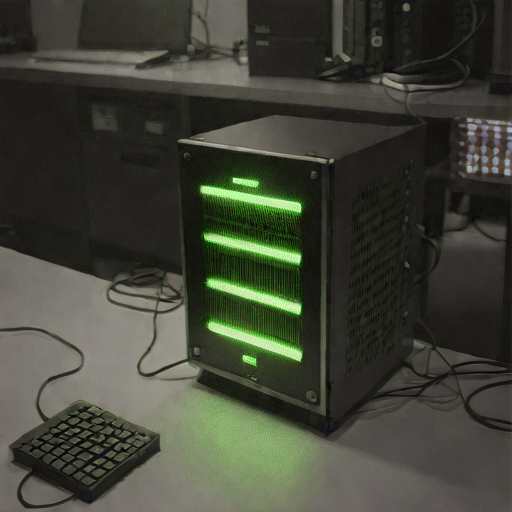
Turning off the tiled decoder entirely gave a clean image. I wrote it up as a decoder bug. I now think that was only part of the story.
Then the builds started failing
The first hint was earlier, in the llama.cpp builds. The compiler crashed with internal errors at a different file each time, and one generated shader file had a single character flipped. I ran a memory stress test, saw bit errors in three of four workers, wrote it down, and chose to move on. I will own that: I said "ignore the RAM errors," and the assistant did, and we kept going.
The next project was vLLM, a high-throughput model server. The ready-made vLLM build for AMD cards does not include code for this card at all, so people build it from source, as in GitHub issues 38107 and 52391. I tried that. The compile failed on errors like this:
error: no template named 'optiofal' in namespace 'std'; did you mean 'optional'?
No such typo exists in PyTorch. The file had changed on my disk. I checked every installed Python file against the checksum its package publishes. In the vLLM environment 97 files out of 78,042 failed, including torch headers with obvious single-character flips. In the environment that runs ComfyUI, 9 out of 66,699 failed, and I first read that as damage to the compiler Triton uses. I was wrong about seven of them. When I compared those Triton files with the downloaded package itself, whose checksum matches the package index, they were identical: the package's own checksum list is stale for those files. That leaves two unexplained files there, not nine. The vLLM damage and the memory test still stand. Linux's file system also logged a checksum failure on a cached file.
"I think the RAM issue is bogus. Prove me wrong."
That is what I typed.

The prompt, typos and all, exactly as I sent it. I meant every word, including "prove me wrong."
i am suspicious, how do we really know the ram is messing up the builds, maybe it is something else, i think the ram issue is bogus, prove me wrong
It was a fair challenge. A pile of symptoms does not make a diagnosis, and every symptom had another explanation. The installer could be buggy. The disk could be failing. The processor could be computing wrongly. Kernel 7.2.5 could have a bug. So we designed tests where each suspect had no part in the result.
Suspect one: software and the disk. I wrote a memory tester that touches neither. Four copies each take 9 GiB, fill it with a known pattern (all zeros, all ones, alternating bits, and each cell holding its own address), then read it back six times looking for any byte that changed. No files, no hashing, no installer, no network.
Suspect two: the processor. The same arithmetic on a small buffer that fits inside the processor's cache, repeated thousands of times, against the same arithmetic on a 4 GiB buffer that lives in RAM. If the processor miscalculates, both fail. If only the big one fails, the memory path is the suspect.
A false start, which I am putting in on purpose. The standard tool for this is memtester. I ran it first, it printed "ok" and "Done" for 40 GB, and for a few minutes I thought the RAM might be innocent. Then I read its log. It had failed to lock the memory ("too many pages, reducing") and had quietly tested almost nothing. A broken instrument had told me what I wanted to hear.
Here is what the real tests found.
| Test | Result |
|---|---|
| Memory at rest, 300 read-back passes over 9 GiB per pass | 1,876 bytes came back different |
| Of the events logged | every one was a single flipped bit |
| Flips in both directions | zero to one and one to zero |
| Patterns affected | all five |
| Repeat offenders | in worker one, 38 of 44 bad addresses failed more than once, all within a 30 KiB stretch |
| Processor on a cache-sized buffer | 20,100 runs, 0 errors |
| Same arithmetic on a RAM-sized buffer | 67 runs, 1 error |
Read that table slowly. Data written and then simply left alone came back changed, with nothing else running that could have changed it. It happens at fixed addresses, which is what a weak or damaged part of a memory chip looks like, and not the random pattern you would expect from a software bug or a passing cosmic ray. The processor did the same work flawlessly when the data lived in its cache, and slipped only when the data came from memory.
There was one more clue I only recognized afterward. Earlier, a one-gigabyte file kept in pure RAM hashed identically three times, then a few seconds later it did not. Comparing it with a freshly generated copy showed two single-bit differences, exactly 1,024 bytes apart. The fresh copy came through the same suspect memory, so this proves instability, not which copy was right.
So was I wrong?
On this evidence, yes. The RAM issue is not bogus. Those SDXL streaks and the failed builds were not unlucky decoders and flaky installers. A machine that corrupts memory will corrupt whatever passes through it, and the places it shows up first are large downloads, compiles and image generation.
It also means the benchmarks above were taken on a machine with faulty memory. I believe the speeds, because they are about timing, but the pictures and any build I made on this box deserve suspicion until the memory is fixed.
What this does not prove: which part is at fault. The memory is four 16 GB G.Skill sticks, two ranks each, running at a safe 2133 MT/s with the XMP-style profile off. Because these are not ECC modules, Linux reports nothing, which is why this stayed silent for a day. The bad part could be one stick, one slot, the processor's memory controller or the board. Software cannot tell those apart. That takes hands: pull two sticks, boot MemTest86 from a USB drive, swap, repeat.
Keeping it awake
One housekeeping fix from the same day. The box locked its own screen after five idle minutes and left me at a password prompt.

The lock screen I kept finding. This one came at 14:32, after the box sat idle.
Omarchy has a stay-awake switch. I turned it on, masked the suspend and hibernate targets, and confirmed in the shell's log that it cancelled the idle timer. The box now stays on and open until I say otherwise. It will not power itself back on after a blackout unless the BIOS is set to restore power, and after any reboot the disk still needs its passphrase typed at the console.
What I would tell you before you do this
- A repurposed desktop with four dual-rank memory sticks is a gamble. Run a real memory test before you trust any download on it.
- Verify instead of assuming. Checking installed files against their published checksums took five minutes and found the problem a week of benchmarks had not.
- Test your tester. My first memory test said everything was fine, and it was wrong because it never touched the memory.
- Be wary of an agent that did exactly what you asked. I said to ignore the errors, and it did.
- The graphics card is the best part of this box. Eighteen times faster speech to text for free is real.
What happens next
The next step is physical. Two sticks out, a USB drive, a long night of MemTest86. After that I will redo the builds, run the vLLM attempt again with every file verified, and pull a larger coding model. I will write up what the memory test finds, including if it turns out to be the processor and not the sticks.
I also looked at whether a stack of used game consoles could do this job instead; that research is in the PS5 post from today.
The raw results, the test scripts and the notes are in the project's docs on my machines. Everything here comes from the day's logs, and where I guessed I said so.
Sources
- Omarchy, Tailscale and TigerVNC, the software the box runs on and I connect with
- llama.cpp and whisper.cpp, built and benchmarked on the box
- Piper, Kokoro-82M and ComfyUI, installed and tested on the box
- vLLM on this GPU family: issue 38107 and issue 52391
- MemTest86, the physical memory test planned next
The benchmark numbers, test scripts and logs are my own, from 2026-10-16 and 2026-10-17 on the box described above. I did not verify the vLLM issue threads beyond reading them.
Keep reading
Hisense Podcasts Sign-in Fix Blanked the Library Screen
A fix for a misdrawn password box on my television's podcasts app blanked the library after sign-in, until I narrowed the fix.
Hisense Podcasts App Fixes Tabs, OK Key and Empty Shelves
The podcasts app on my television had three faults that only showed on a cold start: unreachable tabs, a dead OK button, and empty shelves.
Hisense Podcasts App Gets an Apple TV Look and a Sound Stall
The Hisense television's podcasts app got a new Apple-style home screen and shelves, then a stall in the sound that the new artwork had caused.