OS Pi Fixes Monkey Island Speed, SnapDog Linux Tests
OS Pi's Monkey Island cutscenes ran at half speed because timed chores were skipped, while SnapDog's Linux test mode learned to freeze a Mac screen.
Monkey Island's cutscenes in my OS Pi desktop were running at about half speed, and on Friday I found out why and fixed it. SnapDog, my screenshot app, also got a new way for its Linux test mode to freeze a Mac screen, but I could not watch that one work. One fix is verified. The other is not.
OS Pi: a quarter slice was never enough
The symptom was plain. One Monkey Island conversation should take 104 seconds. In OS Pi it took roughly 220. Everything looked right, only slowly, which is the worst kind of bug to chase because nothing is broken.
The game depends on small timed chores: draw the next frame, count down a pause, wake up a sound. My emulator runs the chip in short slices of 1 to 2 milliseconds, which is 16,000 to 32,000 cycles. After each slice it handed the timer and screen-refresh helpers a quarter of that. Both helpers refuse to do anything with fewer than 10,000 instructions. A quarter of 16,000 is 4,000. So the chores were skipped almost every time, and the game waited for ticks that arrived late.
I put a floor of 10,000 on that budget. I also reproduced the fault without the game, which is the part I trust most. With 16 slices per tick the screen stayed black for 110 seconds. With 4 slices per tick it was fine. A new test now fails if the skipping returns. The full written account is in the OS Pi entry for the day.
| Measurement | Before | After |
|---|---|---|
| One Monkey Island conversation | about 220 s | 104 s, the intended pace |
| Slices per tick that blacked out the screen | 16 (110 s black) | 4 was fine |
| Audio buffers starved, 130 s Monkey Island 2 run | not measured | 0 of 2,816 |
| Median presenter frame rate, 190 s in the SCUMM Bar | not measured | 60.0 fps |
Two follow-ups went in the same day. The window presenter now aims for fixed 16.667 ms deadlines, because the old pacing added copy time to a 17 ms wait and landed near 50 frames a second. And the thread that produces sound now asks for high priority. Those frame numbers are presenter timings on this Mac. They say nothing about input latency.
I also built two probe tools: a headless runner that writes the sound to a WAV file so a run is repeatable, and a driver that plays the real desktop through its bridge. A new launch flag opens a game at startup, so I no longer script clicks to get to the same screen. The last two commits added keyboard scrolling in folders.
There is no screenshot of any of this. The proof is a stopwatch and a counter, and I did not capture a window during the runs. I would rather say that than dress up an old desktop picture as Friday's state.
SnapDog: freezing a Mac screen for a Linux app
SnapDog is a capture and annotate app. The Mac version is the shipped one. The Linux version has a test mode that runs the Linux app on my Mac, so I can exercise it without rebooting into another machine. On Friday I changed how that test mode grabs the screen.
It can now freeze the display and let you pick a window or drag a box on the frozen picture, the way the real app does. Full-screen capture goes through Peekaboo, an automation tool that already has screen access, instead of the built-in capture command. A small helper runs it, reads its reply, and refuses anything that is not a real PNG. The list of capturable windows now carries each window's position and skips helper windows from my own automation tools, so they stop showing up as candidates.
On Linux the pickers go full screen and the window manager sizes them. On the Mac they open as ordinary windows. Capture errors there are now raised instead of swallowed into an empty result, because a silent blank was what hid the earlier wallpaper bug. One new test covers the Peekaboo path with a fake 12 by 8 image, and another was adjusted so the permission-error message is still tested. The details are in the SnapDog entry.
Here is what I could not do. This Mac still has not been granted permission to record the display, so I have not seen the frozen picker capture a real screen. The work is uncommitted. I did not run the test suite that night.
The pictures below are of the shipping Mac app, not the Linux test mode. They are from the website's media folder, saved on 29 September 2026, and I include them so you can see what the Linux pickers are meant to match.
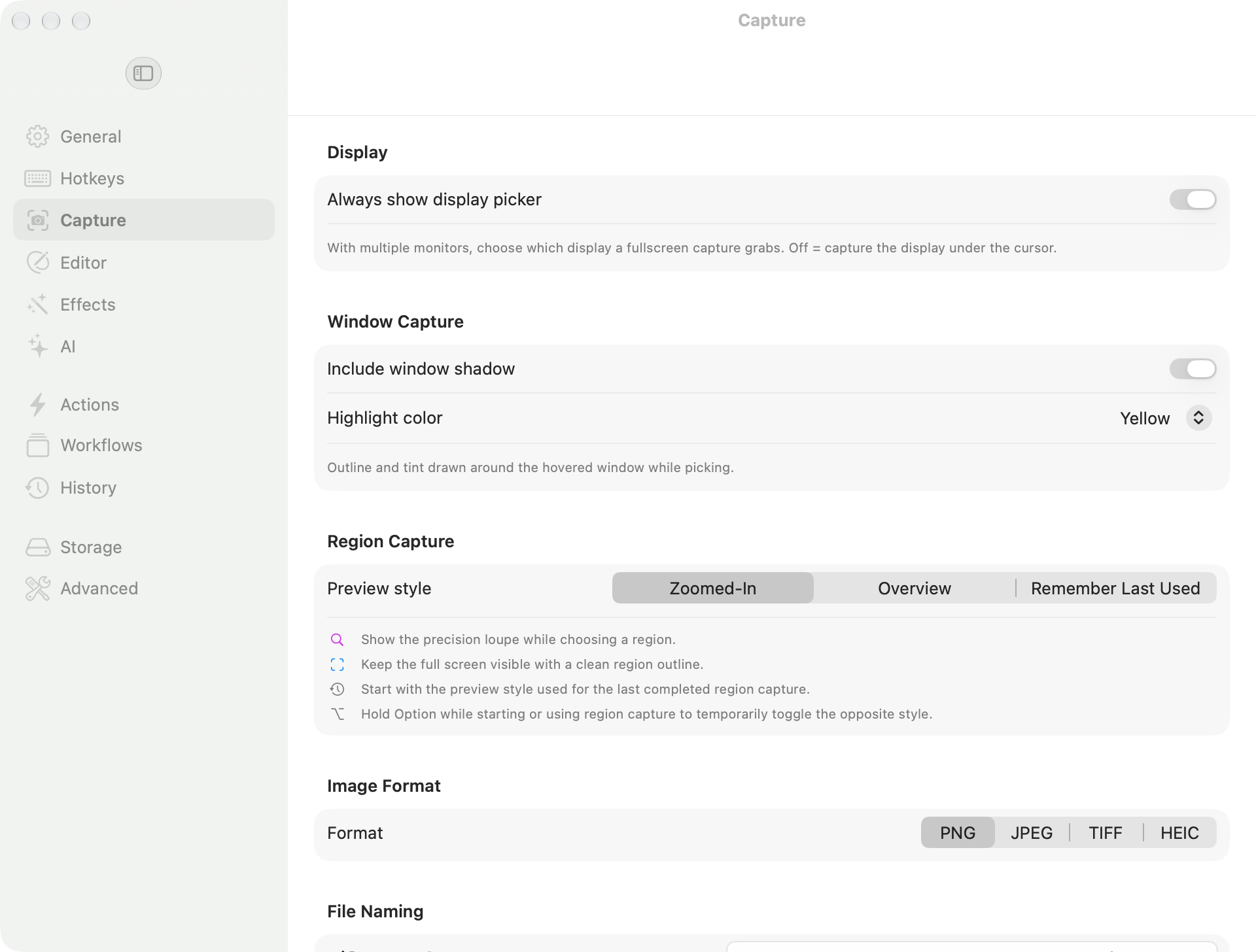
The Capture pane of SnapDog on the Mac, saved 29 September 2026 for the product website. Region Capture offers a zoomed-in loupe or a full-screen overview, which is the behaviour the Linux freeze-and-pick work is chasing.
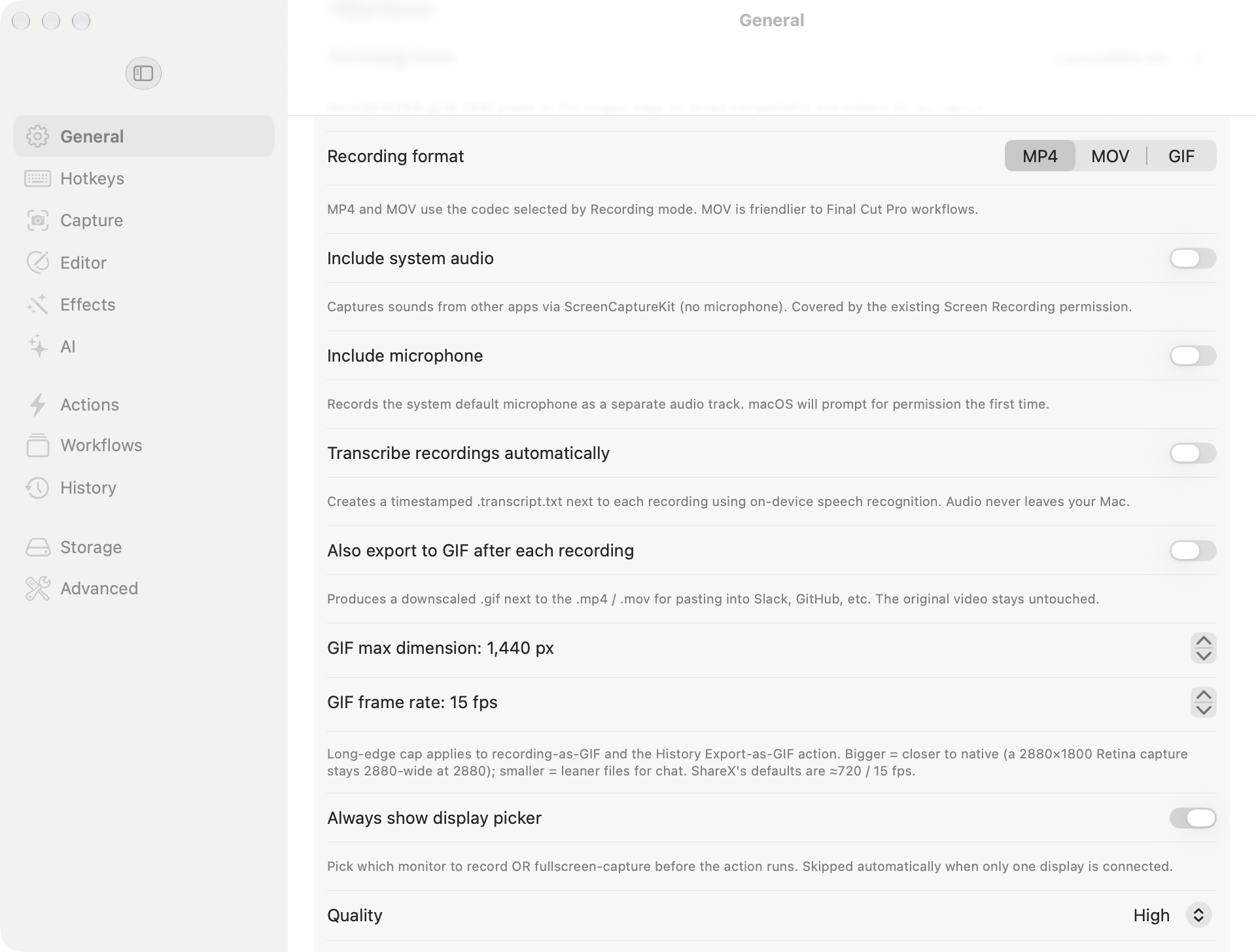
SnapDog's General pane, same 29 September 2026 capture. Recording can export a GIF after each recording, capped at 1,440 pixels and 15 frames a second.
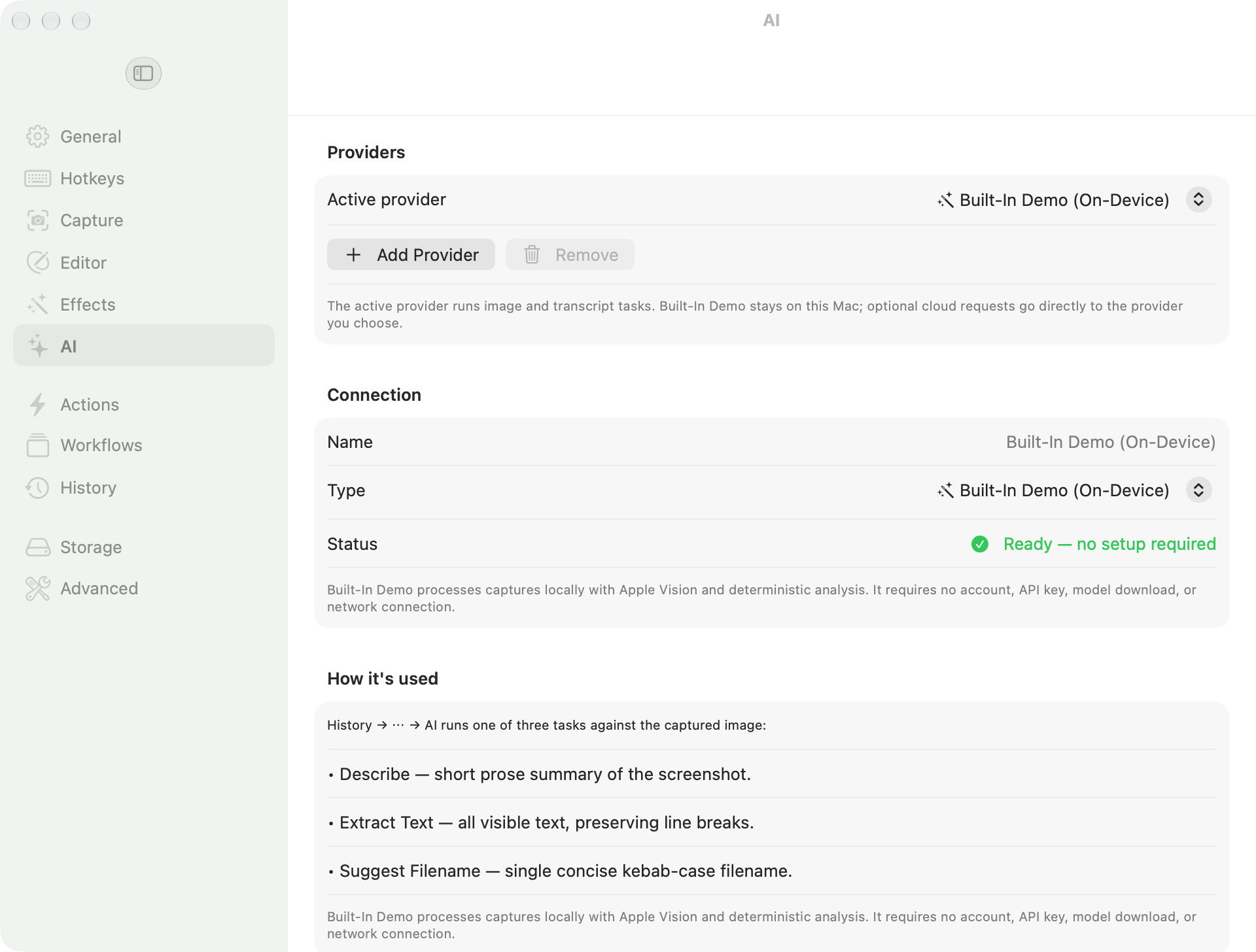
The AI pane, same date. The built-in demo provider runs on the Mac and needs no account or key, per the text in the window.
Notes from the SnapDog Linux test box
The notes record a few more things. A background watcher that restarts my Omarchy test box was resuming repeatedly after brief network blips. It now waits ten minutes of outage and keeps its marker if the resume fails. DEB and RPM installs worked in throwaway Debian and Fedora containers. Package integrity checks repeated at 0.2.64.
What I left out
Other folders changed that day. AI Mesh, a search palette, is uncommitted. A build orchestration tool is still in progress. The fleet folder had inventory churn only. A paid-course project touched payments code and marketing copy, so I left it out on purpose. The day's overview names them.
What I would tell you
Check the threshold before you blame the speed. The OS Pi bug was one number, 10,000, sitting under a quarter of a small slice. A test that reproduces it without the game is worth more than the fix.
Distrust a blank result. SnapDog's earlier wallpaper bug hid because failures became empty images. Raising the error is less pleasant and far more useful.
And do not call it done until you have watched it. I did not listen to the final OS Pi run, and I have not seen the Linux picker capture a live screen. The doubled-note complaint from Wednesday's OS Pi entry is untouched; the earlier OS Pi audio story has the background.
Sources
- SnapDog product site, opened 7 November 2026 to confirm the public description.
- SnapDog on the Mac App Store, checked on 7 November 2026; the page returned a normal response, but I did not read the listing text.
Keep reading
Butcher Bay Mac Port Hits 60 fps, Comfy Golf Gets a Site
The Mac port of Escape from Butcher Bay now plays smoothly but draws characters too dark, while Comfy Golf and my AI models catalog gained new pages.
Quiet Links Golf Gets a Swing as Dante Recomp Speeds Up
On Friday my browser golf game Quiet Links gained a three-press swing and a caddie, while three Mac game conversions each moved a little.
Dante Recomp Host Plays on My Mac as GoW3 Recomp Hangs
A converted PlayStation 3 game reached real gameplay on my Mac while a second, God of War III, drew a splash screen and froze.