SnapDog Records One Window as OS Pi Gets a Movie Chooser
SnapDog's Linux test mode learned to pause and record a single window, while OS Pi, LaunchDeck and PocketGenie each moved on Monday.
SnapDog, my screenshot and screen recording app, got two small but useful abilities in its Linux version on Monday: it can pause a recording and carry on, and it can film one chosen window even when something else sits on top of it. I tested both on a Mac stand-in, not a real Linux desktop. Three other projects moved too, and two are still unbuilt code.
SnapDog: pause, and the right window
The SnapDog entry has the short version. Here is the longer one.
Pause was the easy half. I put a changing test card on the Mini's display, clicked Pause as it turned green and Resume as it turned blue. The saved movie held the cards from before and after, and no green frames. Stopping while paused also gave me a playable file. That is the check I trust most, because a recorder that pauses by quietly dropping the file is worse than one with no pause button.
The window problem was more interesting. The first Mac recorder grabbed a rectangle of the desktop. If a stray window drifted over the target, it ended up in the film. Version 0.2.67 matches the window you picked against the window list from Peekaboo, my automation tool, and records that window's own pixels. I laid an unrelated green window across the target, pressed Start and Stop, and opened the video. Only the chosen window was in it.
If the match fails, the recorder falls back to the visible rectangle, and the feature ledger says so. I like that. A fallback that announces itself is a fallback I can live with.
What I did not do: run any of this on Debian or Fedora. The Mac test mode is a stand-in for the Linux code paths, not the real thing. An earlier check of the Linux installers found them shipping an older app than the Mac one, which is why I keep verifying versions. The 121-test pass is quoted from my own notes. I did not rerun it. The public SnapDog Linux page still describes the older 0.2.58 build on Omarchy, so it is behind the packages by several versions.
The same commit carried a draft of a blog post and two documents that have nothing to do with Linux, a draft of native sales ads and notes on how a web agent could judge a page visually. I did not read those closely enough to describe them.
OS Pi: a movie chooser and an honest dashboard
OS Pi, my classic-Mac-style desktop, got the two changes a person can see. The OS Pi entry covers them. Movie Player now opens with a chooser: it scans four folders two levels deep, lists up to 32 files, and has a "Choose Movie..." button that opens a real file dialog and copies your pick into the Movies folder. About This Mac became a proper window with a banner, installed memory and bars comparing what is running.
Telemetry, added Sunday night, is now opt-in and a test checks that it stays off.
I have to be straight about the limits. I did not play a real movie file. I did not look at the new About window on a real display, so its layout is unseen. I did not run the full test suite on the final state.
The best picture I have for OS Pi is not of the desktop at all. It is the development dashboard I keep for the OS999 effort, captured on 7 November by SnapDog itself. It is two days older than Monday, so read it as context, not as Monday's state.
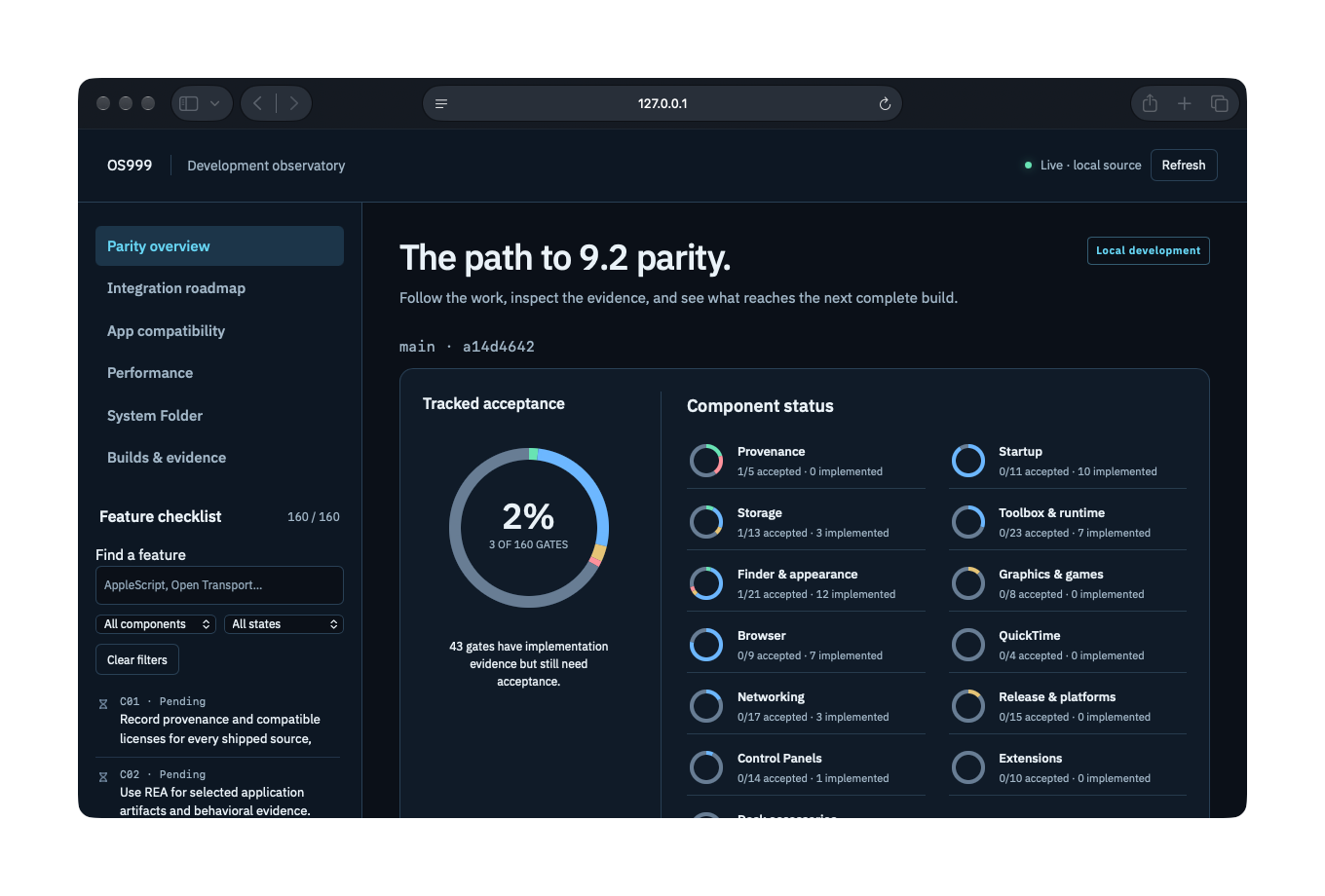
The OS999 dashboard's overview page in Safari on the Mac mini, captured by SnapDog on 7 November 2026. Notice the ring: 3 of 160 gates accepted, with 43 more implemented but waiting for acceptance.
I find that number clarifying. The dashboard refuses to count work as done until evidence is attached, so a lot of code that exists and runs still scores nothing. It is a stricter judge than I would be on my own.
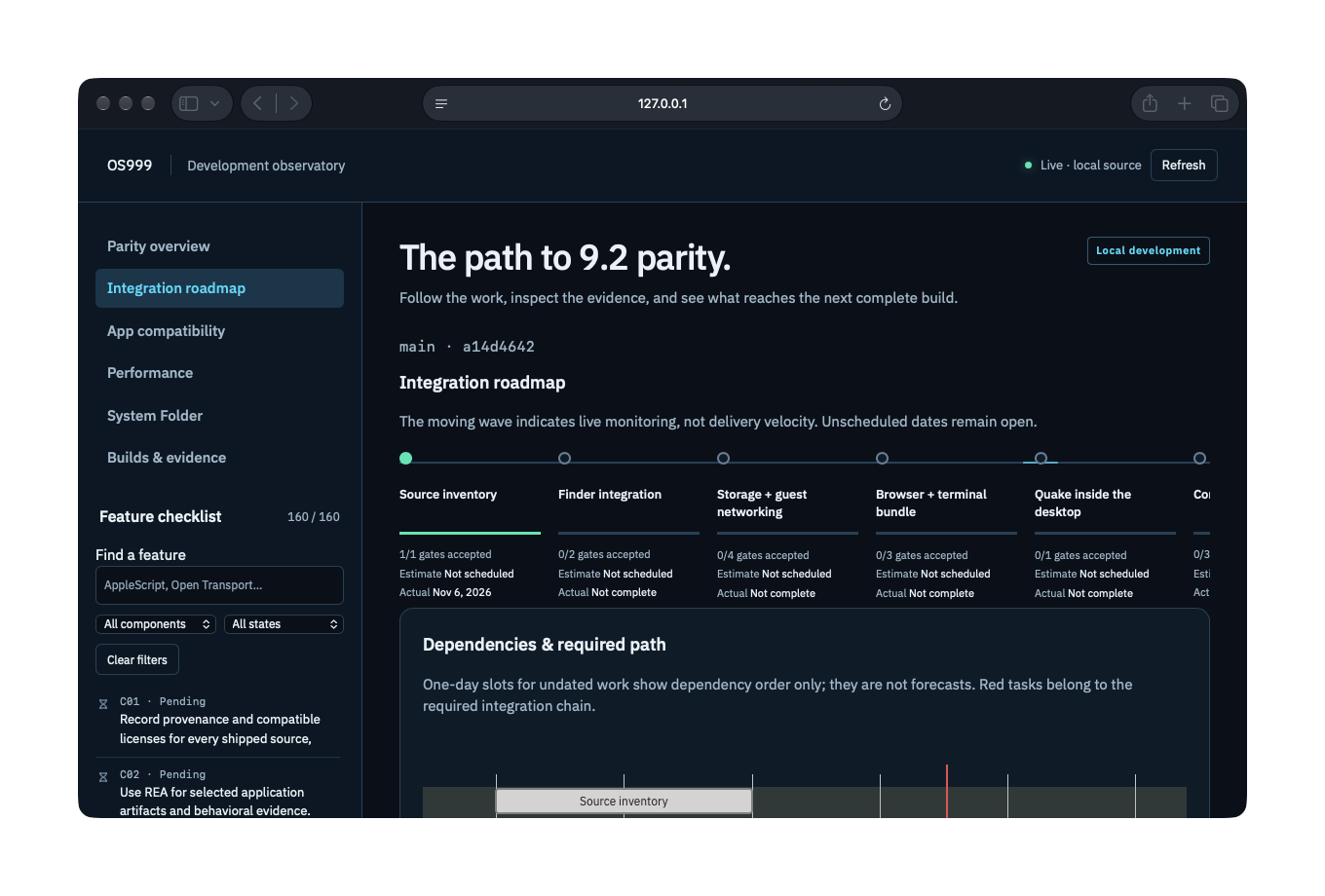
The integration roadmap page, captured by SnapDog on 7 November 2026. Only the first milestone, source inventory, has an actual date; the rest read "Not scheduled".
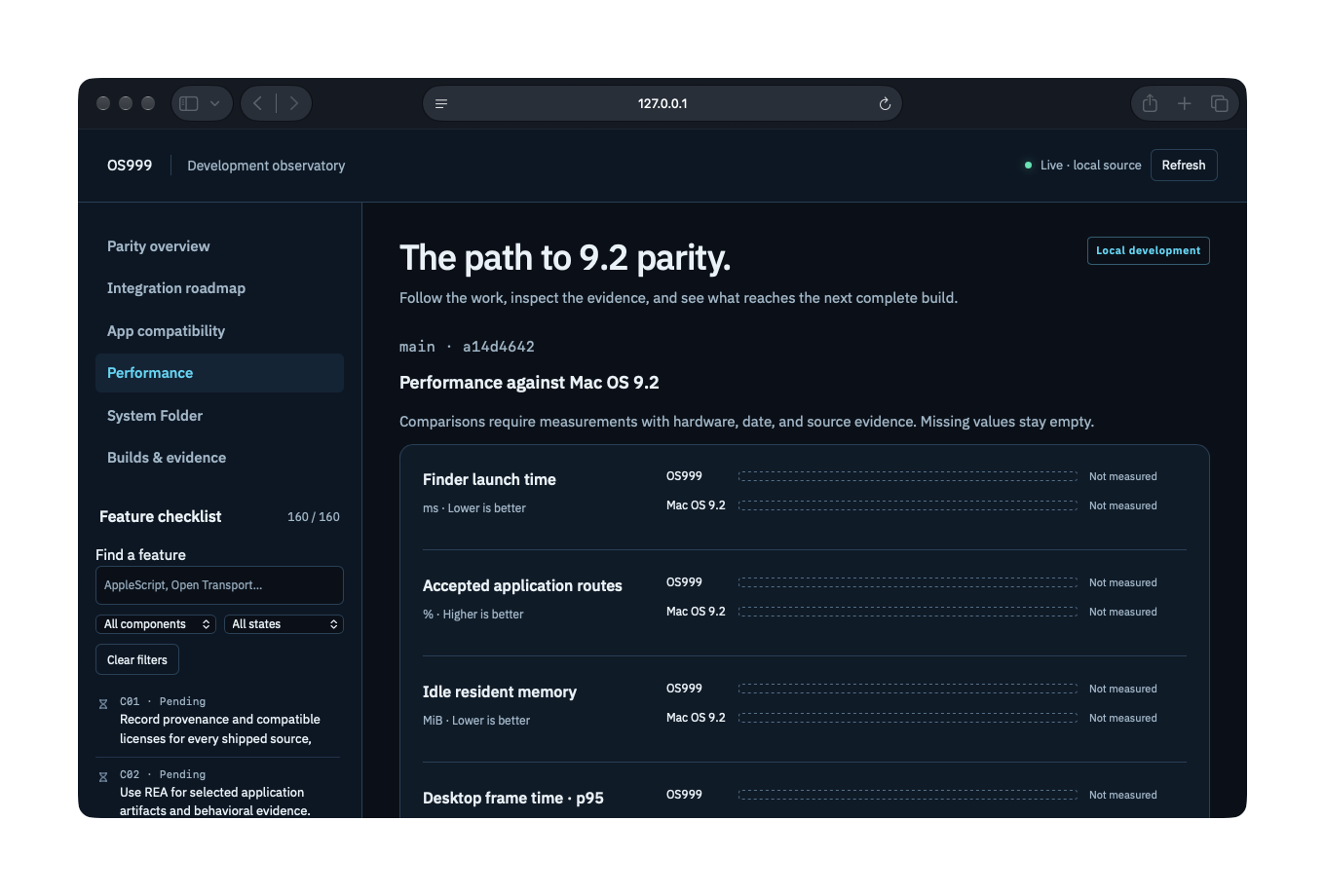
The performance page, captured by SnapDog on 7 November 2026. Every comparison against Mac OS 9.2 reads "Not measured", and the page says missing values stay empty.
That last one is the point of the whole tool. No speed claim appears without a measurement behind it, and today there are none. I am keeping that rule for this blog as well.
I also left out one capture from the same set. Its builds page shows a failed integration attempt and a few lines of local file paths, and I did not want the paths published. The failure itself was real: a keyboard test crashed during manual validation that Saturday.
LaunchDeck: loops that do not jump
LaunchDeck is my tool for turning a finished app into marketing clips and screenshots. It can now cut a 12-second clip whose last 0.6 seconds fade into the footage just before the first frame, so the restart is invisible. The recipe came from Lightfence's own showcase.
A new setting picks one of two looks. The site profile is 720p at 30 frames a second. The app profile is 1080p at 60 frames a second in HEVC at about 4.5 megabits. If a recording is too short for 12 seconds, LaunchDeck shortens the loop and warns.
The other half is safety. The project scanner now converts Xcode project files with Apple's plist tool instead of reading them as text, and it flags unreadable ones for hand review. When a project needs packages from the network, one download step runs outside the sandbox with a scrubbed environment and trusted projects only. The build itself then runs offline.
None of this is committed. Ten files changed, with 138 new lines of tests that I did not run, and I did not push a full project through the pipeline. I have no screenshot for LaunchDeck, because there is no output to photograph yet.
PocketGenie: a vault I have not opened
PocketGenie runs its AI model on the phone, so nothing you type has to leave it. Monday's work is a locked Private Space opened with Face ID, a bigger model library with recommendations per phone size, a document reader, a tools list and a first Mac target.
It is all in my working copy. I did not build or run any of it. The newer model entries carry placeholder checksums, and the install flow refuses to download them until real files sit on my own server. That refusal is deliberate.
Two things I left out
The survey also flagged a build-fleet folder and an infrastructure folder. The first holds regenerated inventory and reports, the second is infrastructure, and neither is product work. A marketing file changed in a documentation tool, which is too thin to describe. The OS Pi side folders hold copies of the same integration work, so OS Pi covers them.
What I would tell you
Pausing a recording and recording one window are small features that are easy to get wrong in ways nobody notices until a screenshot leaks. Test them with obvious colours, like I did with the green and blue cards.
Keep a dashboard that will not give you credit without evidence. Mine says 3 of 160, and that is more useful than a feeling of progress.
And be careful with "done". Only SnapDog's work was committed and exercised on Monday, and even that has not met a real Linux desktop. The rest is code I wrote and did not run. I will say so again when the builds happen.
Sources
- SnapDog home page, opened on 10 November 2026. Used for what the shipping Mac app does and for its price and App Store link.
- SnapDog Linux page, opened on 10 November 2026. It describes the 0.2.58 build on Omarchy, which is older than the 0.2.67 packages in this story.
- Earlier story: StatBar fixes a 32.5 GB promise while SnapDog records, covering Sunday's recording work.
- Not verified: the 121-test result, any run on real Debian or Fedora, any real movie in OS Pi, and any build of LaunchDeck or PocketGenie.
Keep reading
Butcher Bay Mac Port Hits 60 fps, Comfy Golf Gets a Site
The Mac port of Escape from Butcher Bay now plays smoothly but draws characters too dark, while Comfy Golf and my AI models catalog gained new pages.
Quiet Links Golf Gets a Swing as Dante Recomp Speeds Up
On Friday my browser golf game Quiet Links gained a three-press swing and a caddie, while three Mac game conversions each moved a little.
Dante Recomp Host Plays on My Mac as GoW3 Recomp Hangs
A converted PlayStation 3 game reached real gameplay on my Mac while a second, God of War III, drew a splash screen and froze.