StatBar Weather Follows Your Mac, OS Pi Gets Screen Sizes
I fixed StatBar's weather so it can follow a travelling Mac, and taught OS Pi, my classic-Mac-style desktop, thirty screen sizes in five builds.
StatBar, my menu bar monitor for the Mac, had a weather display that never noticed I had left home, and on Tuesday I fixed it. The weather can now follow the Mac to a new city if you ask it to. Separately, OS Pi, my classic-Mac-style desktop, learned to change its own screen size and went through five numbered builds in one day.
StatBar learned that I travel
I found the flaw by driving. I had set the weather to Gonzales, Louisiana, months ago. Then I ended up in Harrisburg, Pennsylvania, and the menu bar kept reporting Louisiana with total confidence. Nothing was broken. It was doing exactly what I had told it to do, which is the worst kind of bug to find in your own app.
The fix, described in the StatBar entry for the day, is an opt-in "use my location" button. If you click it, StatBar can follow the Mac when it moves. The menu also shows today's high, tonight's low and the chance of rain. The work targets version 1.11.0. I have not released it, and the public pages I opened on Wednesday do not describe it yet. The store listing only says "Optional weather in the menu bar".
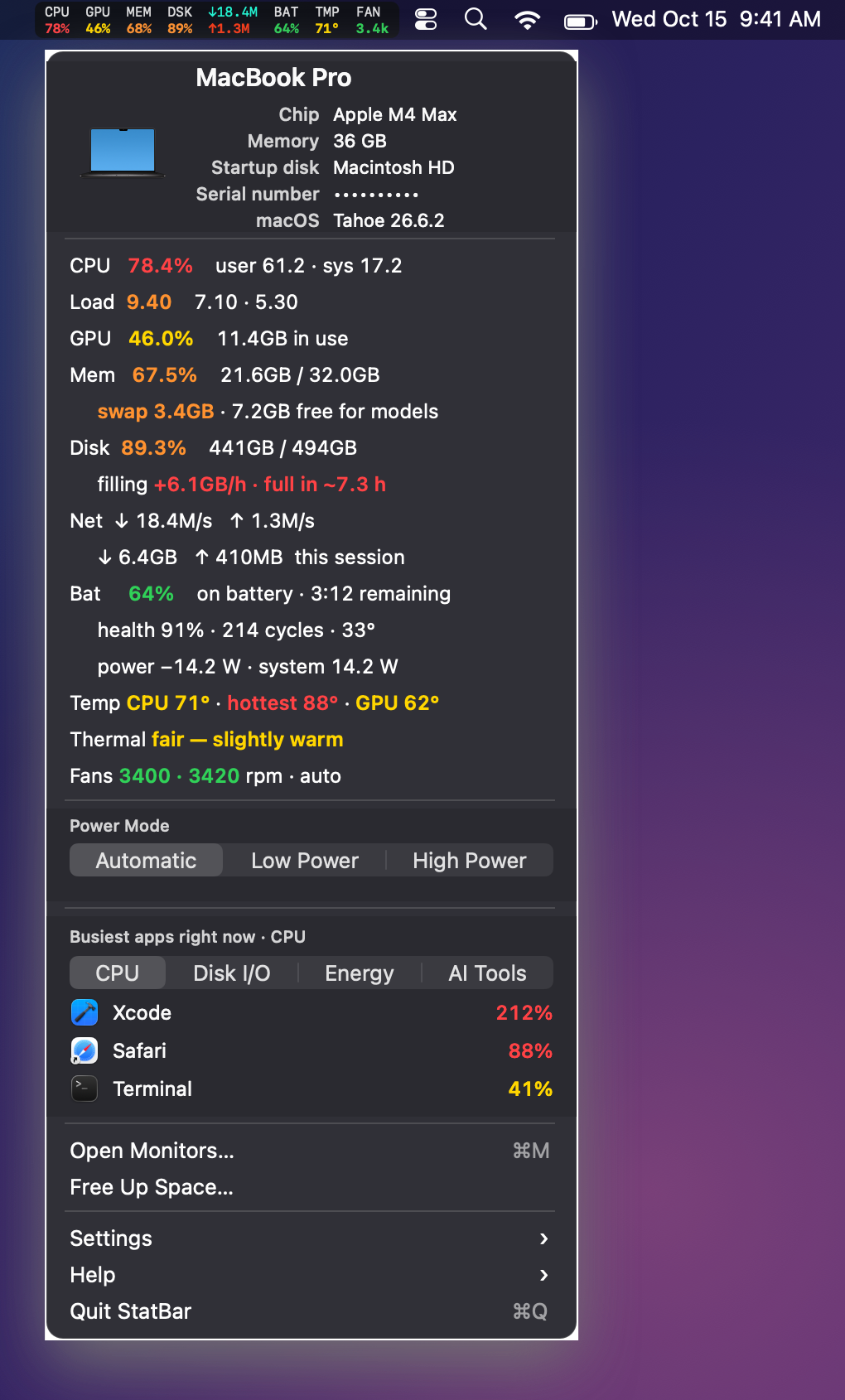
The StatBar menu panel, as rendered for the product site on 1 November 2026, with staged sample readings and a masked serial number. The clock in the picture says 15 October. It predates the weather work, so there is no forecast row here. I have no screenshot of the new weather menu.
The privacy decision came first
StatBar used to promise it never asked for Location. The new promise is narrower. It asks only if you click, once, and it never tracks you in the background. That is a real change to what the app says about you, so I wrote it down before I wrote any code. The design note and a 1,184-line plan went in first, then I spent the morning building.
In practice that means three choices.
- Location is a one-shot request with a timeout, behind the click. There is no always-on permission and no continuous updates.
- When following is on, the place refreshes every 30 minutes and after the Mac wakes.
- I did not use Apple's reverse geocoding. It would send your coordinates to a second service for a cosmetic gain. The US weather service names the place itself, and elsewhere the row says "Current location".
I would rather have a plain label than another party holding your coordinates.
Most of the commits were the weather being wrong in new ways
Git shows 13 commits since 10 November. Most of them were not features. They were the weather being wrong in new, more interesting ways.
| Problem | What changed |
|---|---|
| The fetch could run before the place was known | The place now resolves before the fetch |
| A slow answer for an old place could overwrite a new one | Late responses for an old place are discarded |
| A moved place kept its old name | A moved place resets its name, and the name resolves reliably for cached or moved places |
| The status line guessed | It now decides from the actual permission |
| An interrupted test run left the harness confused | The harness heals a run that stopped halfway |
The evening went on copy. The user guide, the sales page, the site and the README all said StatBar needed no Location permission. After the change that was false, so I rewrote them to say the same true thing. The first pass missed seven spots. The second caught them. A privacy claim that is right in three places and wrong in a fourth is worse than no claim.

The StatBar menu bar strip from the same 1 November product-site render, with staged readings. Weather is an optional extra in this strip, and the Tuesday work changes how it picks a place. It does not appear here.
What I did not verify: I never ran the new build on screen, and I did not travel anywhere to watch it follow me. The test file was extended, but I did not run it that night. So "it works" is not a claim I can make. "It is built and reviewed in the code" is.
OS Pi can now change its screen size
OS Pi had been stuck at one fixed desktop size. Now the Monitors & Display control panel has a Desktop Size group. I pick a size, choose wide or tall, and the desktop switches at once and remembers the choice. The OS Pi entry has the detail. Build 24 carries it, and it was the fifth numbered build I promoted that day.
The size used to be a hard-coded number. It is now a runtime value that defaults to 1024 by 768, with a table of thirty modes across the 4:3, 16:10 and 16:9 shapes, wide and tall. A separate piece owns the host window and its frame buffers and follows every change.
The side effects took the most care:
- The menu bar tightens and drops titles on narrow desktops.
- Dialogs are made to fit.
- Windows for the browser, the guest programs and the music player are placed again after a switch.
- A control panel wider than the desktop now pans.
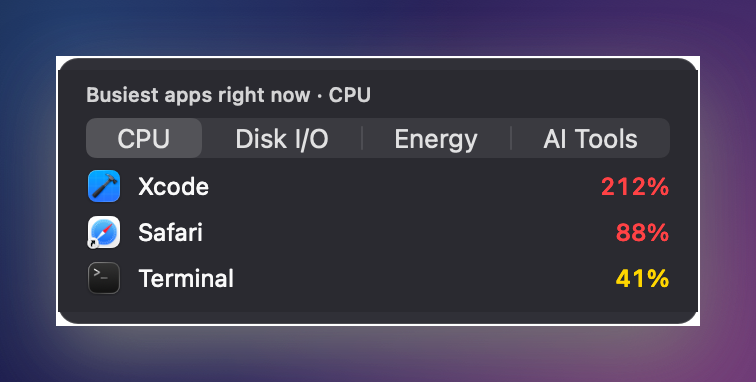
The busiest-apps panel from the 1 November product-site render, with staged numbers. It stands in for the menu's look only; it is not the weather row and not OS Pi.
I have no picture of OS Pi's new sizes. The project folders hold no screenshots from 9 or 10 November, and the capture script I am allowed to run said it cannot photograph this kind of project. I am not going to dress up an old frame as Build 24. The mobile folder's screenshots are device mock-ups from 7 November, and they do not show the desktop.
A font bug fell out of the test
I ran the display-mode test under AddressSanitizer, and it caught the font renderer reading past the end of a bitmap. Embedded one-bit glyphs were copied as bytes per row when the rows are packed bits, so it read memory it did not own. Six lines fixed it. This is the argument for running the odd tooling on a new feature. The screen-size work did not cause the bug, but it was the first thing to stress it.
The smaller builds
Earlier builds that day were smaller, and I list them because five builds in a day deserves an accounting.
| Build or change | What it did |
|---|---|
| Usage log | Stays off until I choose it from the Help menu |
| Version string | Includes the build number everywhere, because a build-script fix had only passed it to test builds |
| Movie Player | Gained its own title |
| Browser engine | Moved to version 156.0.26 |
| Build 23 | Added a private hidden folder for logs, browser data, Quake files and temp files, a Window menu in the Finder, sample extensions, and a mock keychain so the browser helpers stop asking for the real one |
I recorded windowed evidence for Build 24. I did not watch the full test suite pass on the final state, so treat the build as promoted, not proven. The doubled-music problem is still open.
What else showed changes, and what I skipped
Dividend Buddy, Crawfish App, Hermes Fleet and PassCheckBuddy showed uncommitted changes. The diffs I saw were old work, project-file and icon churn, image housekeeping and generated inventories, and I did not examine them further. Grokbot showed changed files that I did not look into. Ugreennas is infrastructure, so I ignored it. The many OS Pi side folders (backups, Bluetooth, high-resolution and PowerPC copies, the integration rounds) are working copies of the same project, so I counted them once. If any of those hides a story, I missed it. The day's overview says the same, and the previous Sunday's story covers the earlier OS Pi build run and the doubled-music problem that is still open.
What I would tell you
Do three things if you ship anything that touches location.
- Change the privacy words in every place that carries them, then search for the old phrase. I needed two passes.
- Make the permission a click, not a setting you can forget about. One-shot and timed beats always-on.
- Run the new feature under a memory checker. Mine found a bug that had nothing to do with the feature.
And a plain opinion: I should not call StatBar's weather finished until I have carried it somewhere. A Mac on a desk proves nothing.
Sources
What I opened on 11 November 2026:
- StatBar product site: it loaded and carries the StatBar page title. I only searched it for weather copy and did not read it in full. It does not describe following your location.
- StatBar store listing on Gumroad: it loaded. Its only weather line is "Optional weather in the menu bar", which fits the pre-1.11.0 state.
- The day's project entries: StatBar and OS Pi, plus the StatBar design note and plan and the project's git log on my own disk.
Not verified: the pages above were read through plain HTTP fetches, not a browser, and I did not confirm anything on them about OS Pi.
Keep reading
Butcher Bay Mac Port Hits 60 fps, Comfy Golf Gets a Site
The Mac port of Escape from Butcher Bay now plays smoothly but draws characters too dark, while Comfy Golf and my AI models catalog gained new pages.
Quiet Links Golf Gets a Swing as Dante Recomp Speeds Up
On Friday my browser golf game Quiet Links gained a three-press swing and a caddie, while three Mac game conversions each moved a little.
Dante Recomp Host Plays on My Mac as GoW3 Recomp Hangs
A converted PlayStation 3 game reached real gameplay on my Mac while a second, God of War III, drew a splash screen and froze.