StatBar Shows What Grew While SnapDog Photographs Itself
StatBar shipped three releases that show which folders ate the disk, the Hisense podcasts app got an Apple TV look, and SnapDog's tutorial found bugs.
StatBar, my menu bar monitor for the Mac, now answers the question I ask whenever a disk fills up: what grew? It shipped three releases on Sunday, 1 November, and can show the folders that gained the most space in a week. The same day, my television's podcasts app got a new look, and a SnapDog tutorial recording turned up two bugs.
Sunday was busy, and not every part of it ended well. Here is what shipped, what broke, and what I did not check.
StatBar 1.8 to 1.10: the disk map that answers "what grew"
The three releases are 1.8.0, 1.9.0 and 1.10.0, and the story is in the StatBar entry. The headline is the Disk Map, a sunburst chart of everything on the disk, with a "What grew" list beside it. Click a folder and the map takes you there. 1.10.0 keeps 30 days of daily history behind that list.
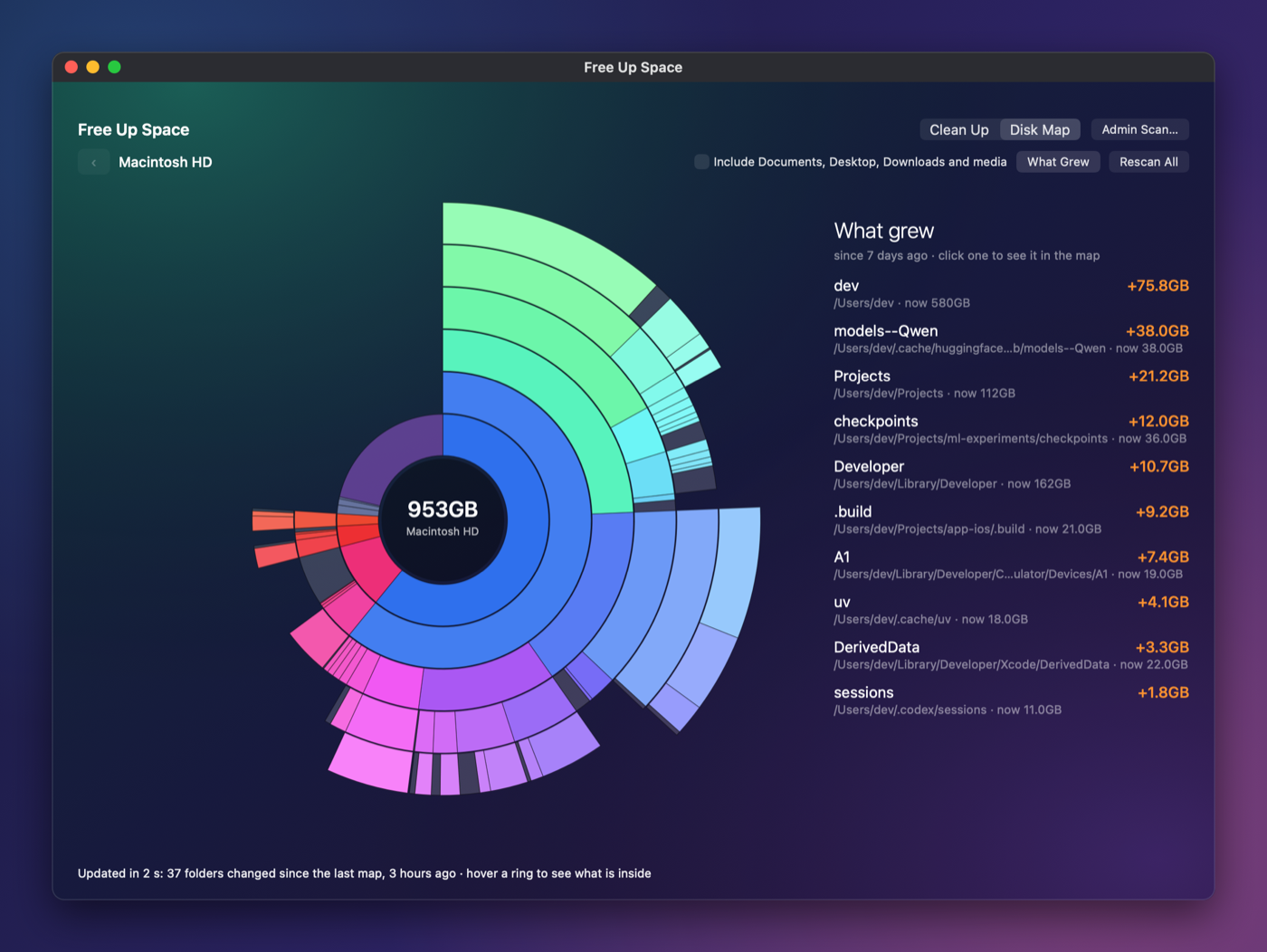
StatBar 1.10.0, Disk Map and What Grew list, captured on 1 November 2026 by the project's screenshot harness. It uses sample folders under a made-up user, so these are not my real folders. Note the +75.8 GB line at the top.
I like that list more than the chart. A sunburst is pretty, but a ranked list with a plus sign is something I can act on. On my own Mac the culprits are nearly always a model cache, a build folder or a simulator.
1.10.0 also added a days-to-full estimate. It comes from hourly samples that survive restarts, with a line fitted after the last cleanup, and the menu warns you when fewer than 7 days remain. I have not watched that warning fire on a real disk, so treat it as shipped but unproven.
1.9.0 changed how sizes are counted. StatBar now uses the APFS private size, so cloned files stop being counted twice. Sizes are more honest, though they will look smaller than what you are used to.
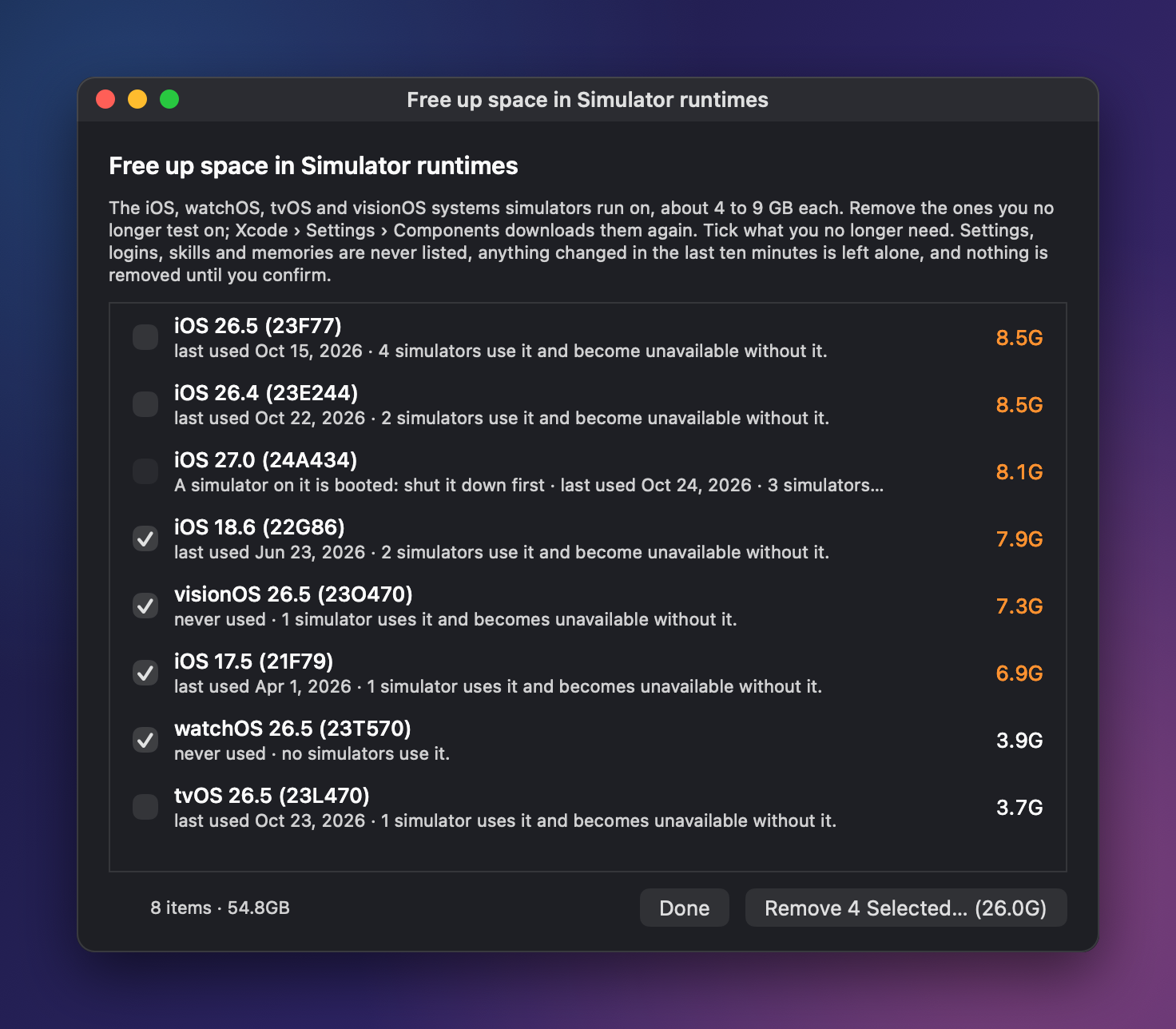
StatBar's Simulator runtimes cleanup sheet, from the product site's screenshot set, written on 1 November 2026. The sheet lists eight items totalling 54.8 GB and removes only what is ticked. The site images use staged sample readings.
Simulator runtimes now appear under Review, and a "Not Used in 90 Days" tick selects old ones. The sheet says nothing is removed until you confirm, and I kept that rule on purpose. A cleaner that deletes first is a cleaner I would uninstall.
The speed fix
This is the one I like best. Nested concurrent loops had been running on a single thread, so the scans were never parallel. Moving the workers to the global queue and measuring all targets at once made things much faster.
| Scan | Before | After |
|---|---|---|
| List scan | 107 s | 20 s |
| Disk map | 167 s | 69 s |
Those numbers come from my MacBook Pro only. I did not repeat them on another Mac. I also did not run the test suite that night and I did not rebuild the app to photograph it, which is why the pictures above come from the harness and the site.
Hisense podcasts app gets an Apple TV look, then a sound stall
Over on the television, the podcasts app now looks like Apple's own TV app. It has a Home page with a Continue listening card, a Shows grid six tiles across, an Up Next shelf and a Now Playing screen. The remote works across all of it. The details are in the Hisense entry.
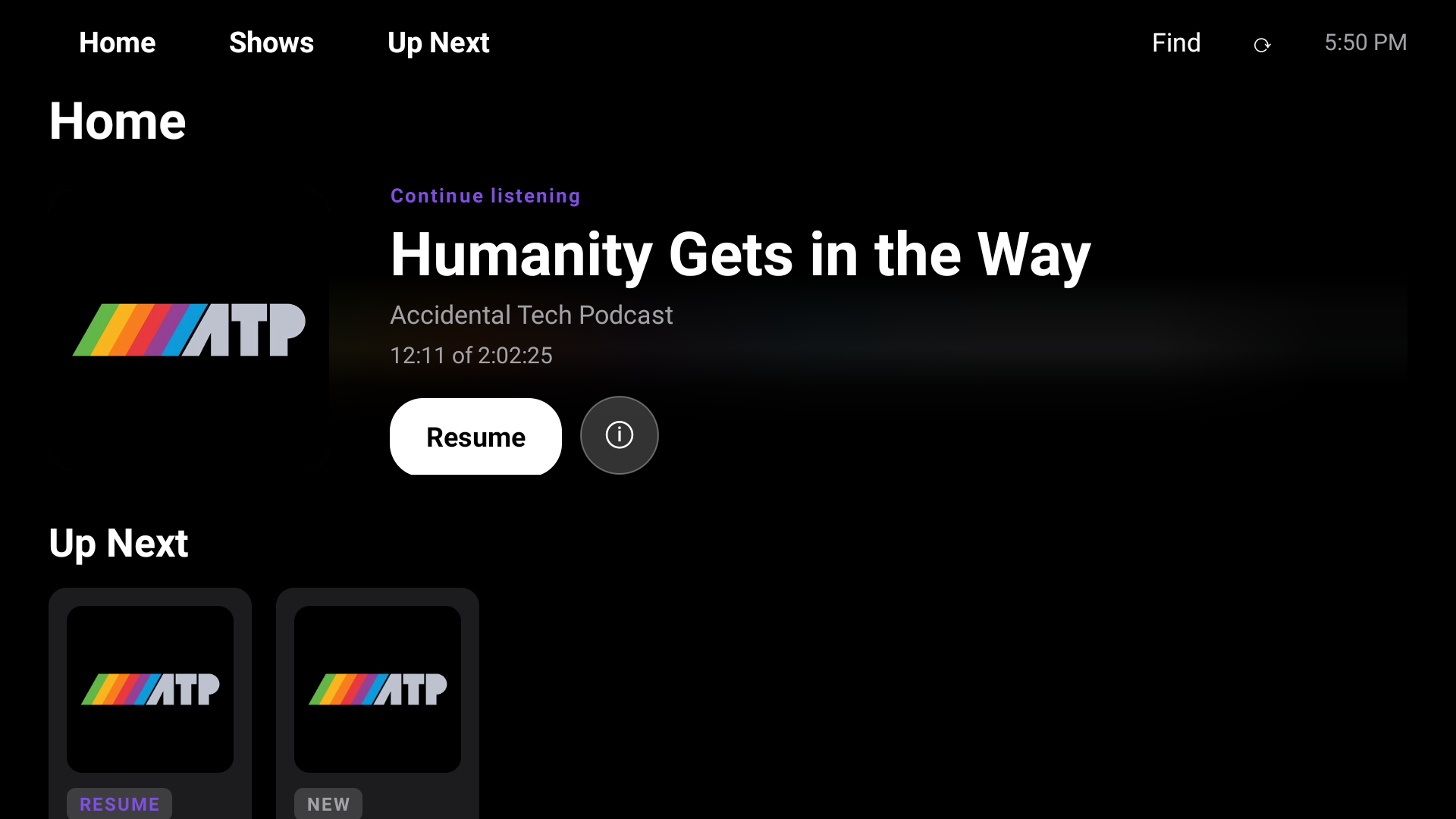
The new Home screen on the Hisense television, captured on 1 November 2026. The resume card shows a public podcast episode, 12:11 into 2:02:25.
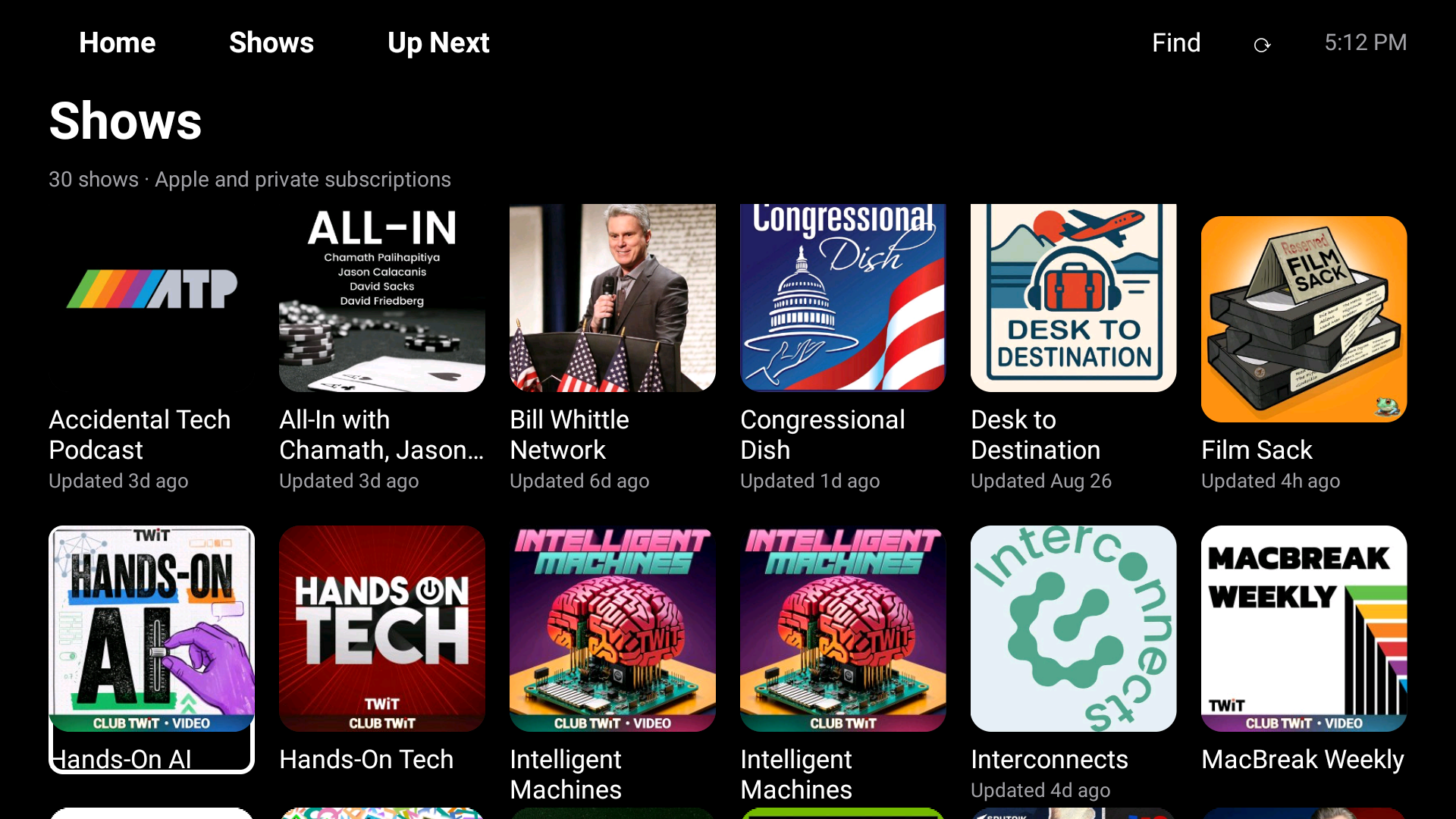
The Shows grid on the same television, captured on 1 November 2026 and taken from the day's draft article. The header reads 30 shows, Apple and private subscriptions. The tiles are public shows.
The side effect was my own fault. Fixing blank episode thumbnails made the app fetch them, and each cover was decoded at full size, cut to 640 pixels, re-encoded as a JPEG and cut again to 200. With audio playing, the television logged an unresponsive-app report at 135% processor use, because the media decoders fought for four cores.
The fix cuts each cover once at the size the tile needs, makes pictures wait while audio plays, and hands them to the screen in one batch. Opening the show page then peaked at 84% and settled near 5%. A second fault was that the resume card could not be dismissed, because the native screens grabbed the remote keys first. It now gets the remote first.
I checked these results on the television itself. I did not re-run the automated tests that night. The television has been a project since my first attempt to get control of it back.
Build Fleet: an outage, then a way to see AI coding sessions
The most useful work was in the Build Fleet, the system that spreads my builds across the house (entry). It had a live outage first. After I renamed the Mac mini from AIMacMini to M4-Mini, the fleet's lookup for its own name fell back to a generic "local", and it refused every job sent there and parked them as uncertain.
The repair was a new configuration entry and a new worker release on every host, since workers run from the installed release's own copy of the config. Refused launches now fail in seconds with exit code 126 and a message naming the host. The first job after the repair ran clean.
The main work was harness tracking, in 23 commits. A registry replaced five separate lists, and adapters read Claude Code, Codex, MiniMax Code and Grok sessions. When a tool exposes nothing else, the fleet falls back to process-only rows. On the MacBook Pro it showed 13 rows with all four adapters healthy, and the bypass ring caught two Android builds that ran outside the fleet.
A review of the branch found two real defects:
- Timestamps ignored daylight saving, so they would have been an hour off from March to November and Codex rows would have vanished.
- The bypass count included builds the guard had already denied.
Both are fixed with tests, which brings the suite to 319. The new footprint column then explained why the MacBook Pro hit 21 GB of swap that evening: one image-generation child process in another project's session.
Cleanup also shrank the MacBook Pro's fleet state from 31 GB to 21 MB, and cached status answers in 0.3 seconds. The iPhone client was parsed but not built, and I could not take a screenshot of the menu bar app, so there is no picture of it here.
SnapDog: the tutorial that caught the app photographing itself
I was recording a fresh SnapDog tutorial when two region captures came out with SnapDog's own menu in the picture, one started from the menu and one from the keyboard shortcut. I threw both takes away. This is the sort of thing a tutorial finds that testing did not. More in the SnapDog entry. The app's earlier story is its first demo film.
I wrote a regression note with acceptance checks instead of guessing at a cause. The suspects are that the menu action starts the capture before it asks the menu to close, and that the capture's exclusion list is empty. Those are candidates, not a confirmed cause.
Later logs showed another oddity. The installed build, 1.2.0 build 8, picked an unnamed full-screen window that belonged to my automation driver. The one code change of the day makes the window picker skip those, with tests that keep real windows and untitled documents. It is in the source but not installed.
The editor also kept showing its previous 1793 by 1041 image after the logs reported a new 2080 by 1240 capture. Reading the source suggests the editor holds its image in view state. I have not tested a fix. After a restart, a clean 900 by 526 capture saved and reopened correctly.
No repaired build is out, and I did not build or run tests that night. SnapDog had no screenshot I could use.
What I would tell you
- If your disk keeps filling, look at what grew in the last week, not at what is biggest. StatBar now does that for you.
- Measure before you celebrate a speed-up. Mine is one machine and one afternoon.
- Fixing one visible bug can cause an invisible one. The thumbnails worked and the sound stalled.
- Renaming a computer is a deployment. The fleet learned that by refusing everything.
- Tutorials are testing. Record yours before you ship.
Four flagged folders went unreviewed that day, as the day overview explains. Open items: a SnapDog build with the fixes, an iPhone client build for the fleet, and a real-disk test of the days-to-full warning.
Sources
- StatBar product page, opened 2 November 2026 for the feature list and price.
- StatBar user guide, opened 2 November 2026 to confirm it exists; I did not read it for the new features.
- Project entries and screenshots for 1 November 2026 from my own repositories.
Keep reading
Butcher Bay Mac Port Hits 60 fps, Comfy Golf Gets a Site
The Mac port of Escape from Butcher Bay now plays smoothly but draws characters too dark, while Comfy Golf and my AI models catalog gained new pages.
Quiet Links Golf Gets a Swing as Dante Recomp Speeds Up
On Friday my browser golf game Quiet Links gained a three-press swing and a caddie, while three Mac game conversions each moved a little.
Dante Recomp Host Plays on My Mac as GoW3 Recomp Hangs
A converted PlayStation 3 game reached real gameplay on my Mac while a second, God of War III, drew a splash screen and froze.